
KEY TAKEAWAYS
- GLPI is worth it for teams with the skills to run it. The software is free, and it goes deep: an inventory agent, network discovery, depreciation, a full helpdesk and a CMDB, which records how IT systems depend on each other, all in one tool. The cost is a steep setup, and someone on your side hosts it, upgrades it and keeps the records current.
- Pick GLPI if you are a technical IT team that wants a free, open-source ITSM and asset tool and can run a PHP server, or pay its publisher, Teclib, for the cloud version at €19 per IT agent a month.
- GLPI keeps a detailed record of each device, and nothing more. Discovery, CMDB, licences and depreciation are all included. None of them move a laptop: GLPI does not buy, ship or collect devices in any country.
- For globally distributed teams that do not want to type in every laptop change, Tequipy is the best fit overall. Its register gives every laptop a page with its history and files, while local hardware partners in 180+ countries supply each laptop, couriers return leavers' devices, and Tequipy's team wipes, stores and logs them on that page. Tequipy charges a flat $99 a month for its platform at 100 devices and above, any number of devices, and nothing below 100.
GLPI is free, and price is what its reviewers praise most, in about 10 reviews and comments on G2 and Capterra. Setup is their top complaint, in about 9 reviews and comments on G2, Capterra and Reddit. In this GLPI review, the short answer is yes, GLPI is worth it if you have someone who can install, upgrade and run it. Without that person, the free licence turns into hours of upkeep, and records that no longer match who really has each laptop.
There is a second gap that no register closes. Capterra's 2022 offboarding survey asked 287 HR workers, and 71% had seen at least one departing employee fail to return company equipment. A register tells you which laptop is missing. Somebody still has to get it back. Below we cover GLPI's features, its real pricing in November 2026, what its users praise and complain about, and when a different setup fits better.
GLPI Review at a Glance
GLPI and Tequipy both keep a record of company devices, but they answer different questions. GLPI answers "what do we have and what is wrong with it". Tequipy answers "who has this laptop, who held it before and when, and how does it reach the next person".
| Point | GLPI | Tequipy |
|---|---|---|
| Best for | Technical IT teams that want free ITSM plus asset tracking | Globally distributed teams that want a simple laptop register plus the buying, shipping and collecting done for them |
| Stand-out feature | Own inventory agent, network discovery and CMDB | A page per laptop with holder, dated history, files and repairs. When Tequipy delivers, collects or stores a laptop, its page shows the change, with no typing by your team |
| Software or platform price | Free self-hosted; Public Cloud €19 per IT agent a month, excl. VAT | $99 a month flat for 100 or more devices, unlimited devices; free under 100 devices |
| Device services | None sold | Collection $70 to $150 per device; storage $12 a month per device |
| Pros | Deep record, helpdesk included, no licence fee | Employee ordering portal with admin approval, single sign-on, REST API; deliveries Tequipy ships appear on each laptop's page from carrier tracking |
| Cons | Hard setup, upgrades and plugins to maintain | No discovery, CMDB, licences, depreciation or custom fields |
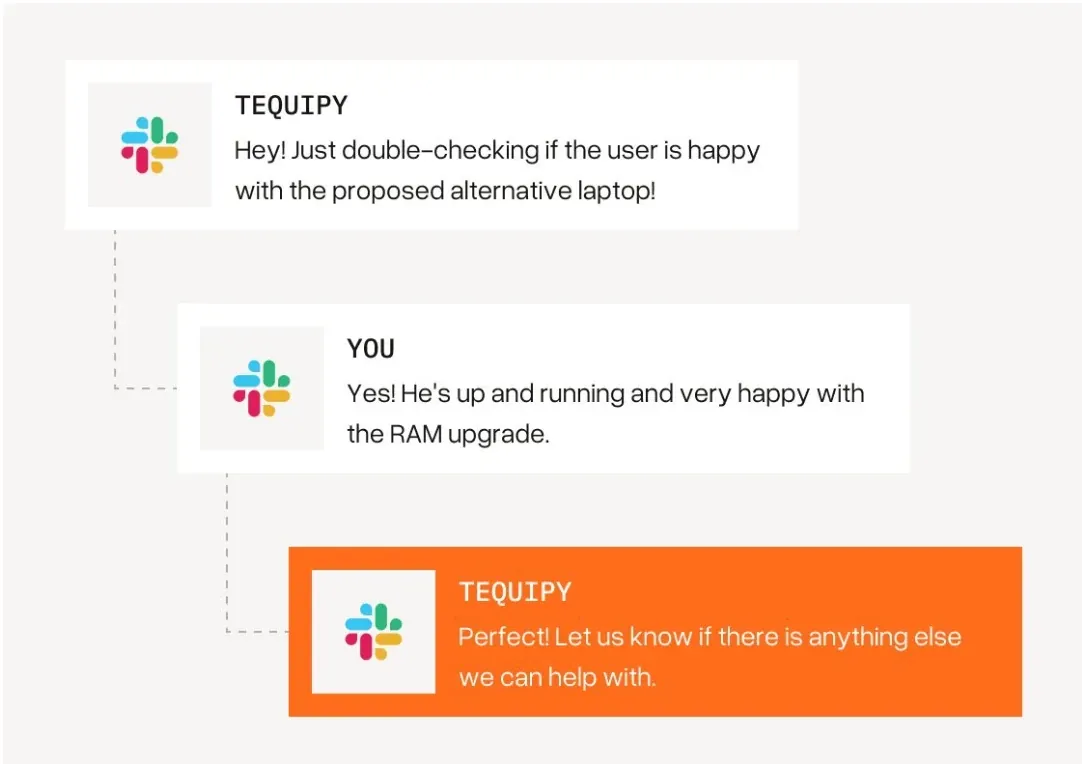
| Customer support | Community forums on the free plan; paid plans from Teclib | A dedicated Slack channel for every customer |
| Ratings | 4.5 from 42 on G2 | 4.9 from 4 on G2 |
| Who keeps the record current | Your IT team, with the agent reporting hardware and software | Manual entry, CSV import or REST API; for devices Tequipy buys, delivers or collects, its team and carrier tracking update the record |
| Discovery, CMDB and custom fields | Yes, yes and yes | No, no and no (tags only) |
| Physical work (buy, ship, collect, wipe) | No | Yes, in 180+ countries |
| HR connections | None; users come from LDAP, Entra ID or SCIM | HiBob, BambooHR, Workday and Rippling, one way into Tequipy, $199 a month |
Last checked: GLPI prices and features on its own pricing and help pages in November 2026; Tequipy figures from its published pricing page.
Who Is GLPI Best For?

GLPI 12.0.0 came out on 7 October 2026, and its publisher, the French company Teclib, now supports versions 12 and 11 only. GLPI is open-source software under the GPL-3.0 licence: a helpdesk, an asset inventory, a CMDB and financial records in one web application. Most of its G2 and Capterra reviews describe the free, self-hosted version. It fits:
- Technical IT teams that want ITSM and assets in one place: tickets and device records live side by side, and the GLPI Agent keeps hardware and software data current.
- Organisations with tight budgets: public bodies, schools and non-profits get unlimited end users and no licence fee on the self-hosted version.
- Teams that need a CMDB and financial records: depreciation, total cost of ownership and warranty alarms come without an enterprise ITSM price.
If you are still mapping the category, our guide to hardware asset management software sets GLPI next to the paid registers.
Tequipy: An Alternative Where Deliveries and Returns Fill In the Record
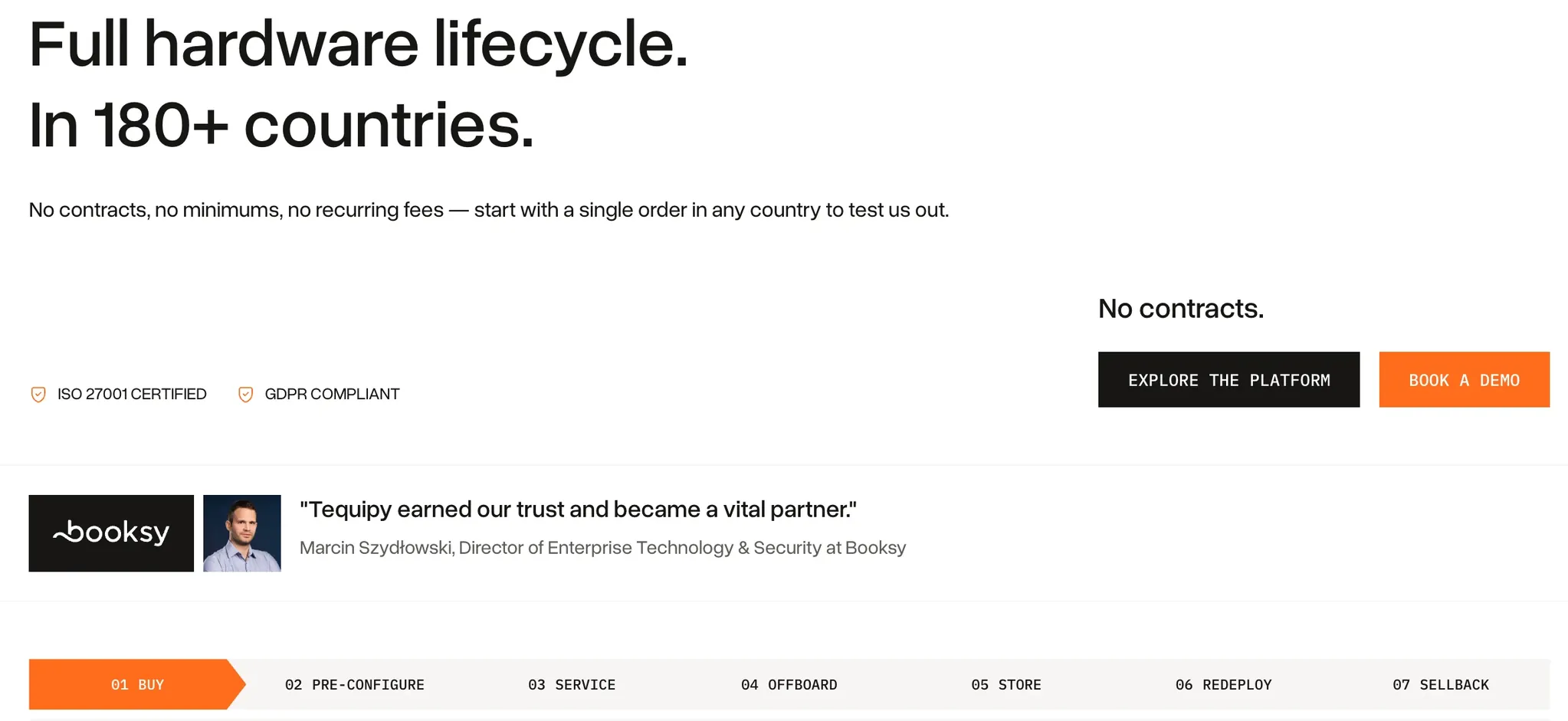
GLPI is a register you host and update yourself. Tequipy's register has far fewer fields, though each laptop still gets its own page, and it comes with a service that buys, delivers and collects the laptops listed in it. One of Tequipy's co-founders was Head of IT at Revolut through its growth from 100 employees to 5,000 in 17 offices.
- No typing for laptops Tequipy ships or collects: courier tracking adds deliveries to the laptop's page, and Tequipy's team adds the date it goes into storage.
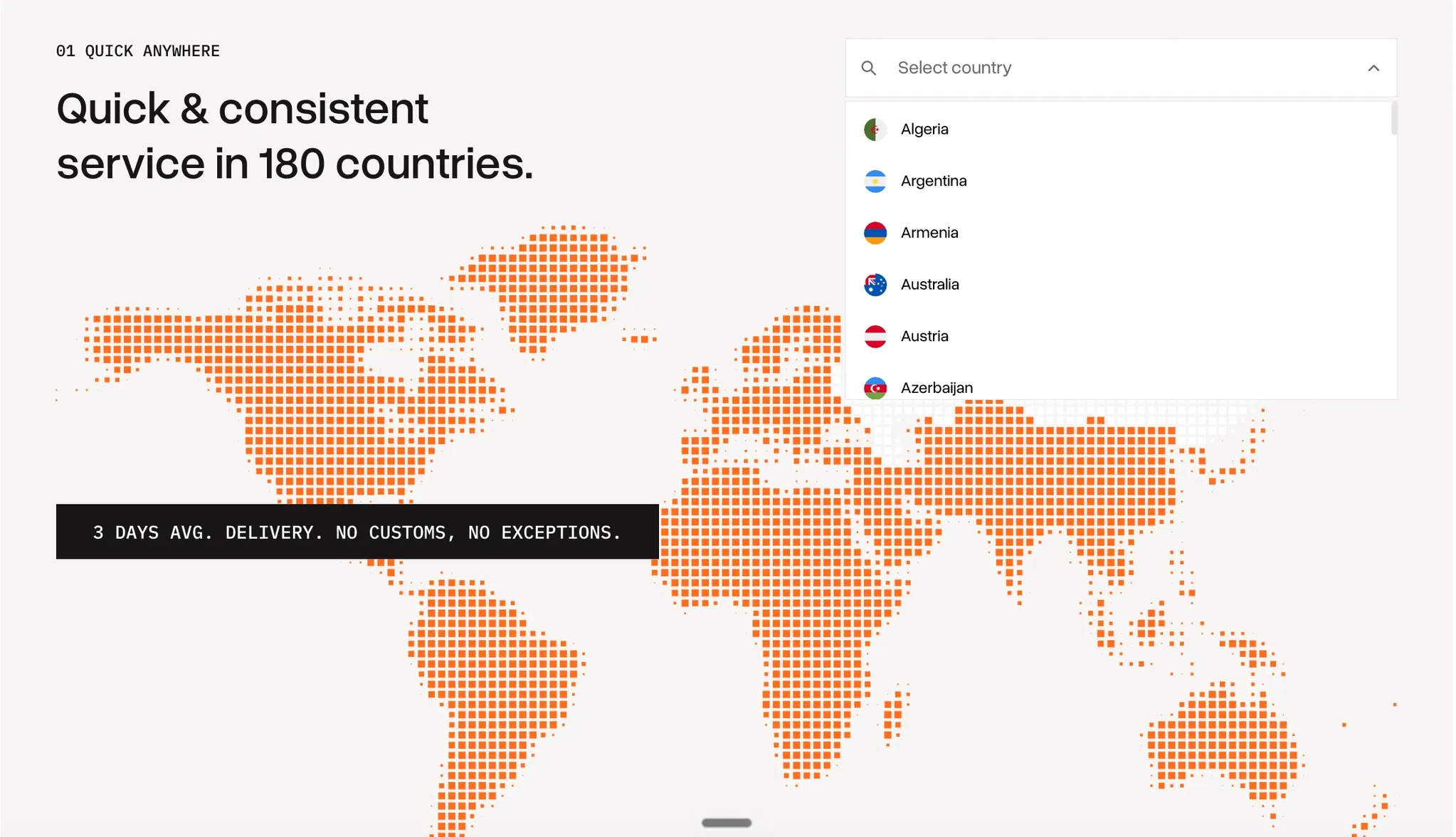
- Local buying in 180+ countries: laptops come from local hardware partners at retail price, arrive in 3 business days on average, and go back from leavers by courier.
- Nothing to host: no server, no upgrades and no plugins to update.
The device lifecycle management platform is priced as follows:
| Item | Price |
|---|---|
| Platform | $99 a month flat for 100 or more devices, unlimited devices; free under 100 devices |
| Hardware | Recommended retail price, delivery included |
| Collection from a leaver | $70 to $150 per device, including pickup and a data wipe |
| Storage | $12 a month per device |
{{cta-primary}}
GLPI Key Features for Open-Source ITSM and Asset Tracking
GLPI's strongest features are the ones Tequipy does not have. Here is what each one does, based on GLPI's help pages for version 12, read in November 2026.
Asset Inventory With Its Own Agent and Network Discovery
Since GLPI 10, inventory is built in. You install the GLPI Agent on each computer, and it reports hardware and installed software to your GLPI server. The free GLPI Inventory plugin adds network discovery and SNMP inventory (the standard way network devices report their details) for printers, switches and other network gear.
Remote laptops report too, as long as your server can be reached from the internet, or if you use GLPI's cloud. This is the main difference from Snipe-IT, which has no scanner of its own. An IT specialist on Capterra praised the network inventory with agents, noting the agent script can be pushed through Group Policy.
CMDB and Configuration Management
GLPI includes a configuration management database with an impact analysis view. It maps how assets, applications and clusters depend on each other, so you can see what breaks when a server goes down. Since GLPI 11, admins can also define their own asset types with their own fields, which replaced the old Generic Object plugin. Few free tools offer this.
Depreciation, Licences and Warranty Alarms
Each asset carries a financial tab: supplier, order number, invoice, value and budget. GLPI works out depreciation (linear or declining balance), net book value and total cost of ownership. Warranty start dates and length are typed in by hand, and GLPI sends an email when a warranty is about to end. Software licences have their own records with expiry alarms, fed by the software the agent finds. Our IT asset management checklist lists which of these records an auditor usually asks for.
Helpdesk and Ticketing
The other half of GLPI is a full service desk: tickets, problems, changes, SLAs, a service catalogue and a knowledge base, which GLPI 12 rebuilt. End users who open tickets are free on every plan. A reviewer on Capterra summed up the appeal: "GLPIs combination of asset management and service management makes it unique and extremely useful" (SAP Basis admin, November 2024).
GLPI Pricing: Free to Self-Host, Paid for Cloud and Support
GLPI is free to download and run. Paid plans come from Teclib under the name GLPI Network, and the cloud plans charge per IT agent (a technician with the standard interface), not per employee. Prices from GLPI's pricing page, excluding VAT:
| Plan | Price | Limits |
|---|---|---|
| Self-hosted, community | Free | No asset or user cap; community support only |
| Public Cloud | €19 per IT agent a month | From 1 agent; unlimited assets and end users; daily backup |
| Private Cloud | €21 per IT agent a month | 25-agent minimum; hourly backup |
| Self-hosted support, Basic | €100 a month, flat | Up to 500 assets or 10 standard users |
| Self-hosted support, Standard | €300 a month, flat | Up to 5,000 assets or 50 standard users |
Last checked: November 2026. The Public Cloud comes with a 45-day free trial, with no backups during the trial.
"Free" still costs someone's time. A self-hosted server needs backups, security patches and a major upgrade every time a version such as GLPI 12 ships. On the free plan, help comes from the forums.
Where GLPI Wins: Free, Deep and Open
- No licence cost: the full software is free under GPL-3.0, with no cap on assets or users. A director of IT on Capterra called it "Inexpensive to purchase and operate."
- Its own discovery agent: hardware and software data arrive without manual entry, including from remote laptops that can reach the server.
- Depth in one tool: CMDB, depreciation, licences, warranty alarms and a helpdesk sit in a single application.
- Open code: you can read it, change it and add plugins, including Teclib's own plugins for Jamf, SCCM and CSV import.
Where GLPI Costs You: Setup, Upkeep and Records That Go Stale
- A steep learning curve: installation and configuration is the most repeated complaint about GLPI, in about 9 reviews and comments across G2, Capterra and Reddit.
- You host and upgrade it: plugins can fall behind. The official barcode plugin's last release, from July 2022, works with GLPI 10 only, and GLPI 10 is now out of support.
- No support on the free plan: help comes from the community until you pay Teclib.
- Custody still needs people: the agent reports what a laptop contains. Who holds it after a handover, a return or a repair is updated by hand, so those fields are only as current as the last edit. That is the core problem of remote asset management for laptops outside the office.
What GLPI Users Say: Capable but Hard to Set Up
As of November 2026, reviewers give GLPI 4.5 out of 5 on both G2 (42 reviews) and Capterra (41 reviews). Almost all are 4 or 5 stars, every G2 review on the first page came through a G2 invite, and many date from 2018 to 2022, before the current interface.
On the positive side, the same IT specialist who praised the agents also liked GLPI's "good selection of very useful plugins".
Older reviews add a complaint about the interface: "The interface is dated, and initially may be very difficult to find where are the settings that the administrator want/need to change" (an assistant professor in February 2018). Most reviews of this kind predate GLPI 10, which redesigned the interface in 2022.
The complaints are about effort. A first-line service desk coordinator wrote on Capterra in December 2024: "As a team leader, onboarding new members to the system often takes quite a long time." The IT specialist from the positive review gave GLPI four stars and still listed "Diffucult installation and scattered documentation for installation" as its main drawback (spelling as in the review).
Pro tip: before you commit to self-hosting, write down who owns three jobs for the next two years: the server (backups and patches), the major upgrades (GLPI 11 to 12 was one), and the custody fields on every laptop. If one name sits next to all three, price that person's hours against €19 per IT agent a month on GLPI's cloud, which takes the first two off the list.
GLPI Overall: Worth It if You Have the IT Skills
GLPI is one of the deepest free tools in asset management. For a technical team that wants tickets and assets together, has a server, and has someone who enjoys running it, the value is hard to beat: discovery, CMDB, depreciation and a helpdesk for no licence fee.
It is a weaker fit when nobody owns the upkeep, or when the hard part is getting laptops to new hires and back from leavers. GLPI keeps a far deeper record than Tequipy. Tequipy answers a narrower question: who buys, ships and collects each laptop, and who writes down who has it now. For a team where nobody has time and laptops sit in six countries, a record by itself brings no laptop back.
How to Choose Between GLPI and Other Asset Management Software
Most comparisons stop at features. Three questions decide whether a register keeps working after the first year.
Who Will Keep the Records Up to Date?
A self-run register is only as good as the person maintaining it. If that person leaves or has no time, nobody updates the assignments, and the register stops matching reality. GLPI's agent helps with hardware data. It does not know that a laptop moved from a leaver to a new hire in another city.
Ask any tool which fields update themselves and which need a person. With Tequipy, deliveries and collections update from carrier tracking, and Tequipy's team updates the storage, redeployment and condition steps.
Who Does the Physical Work on Devices?
Most asset tools can now see remote laptops, through an agent or an MDM sync. Seeing the laptop is the easy half. The hard half is getting it to a new hire on day one and back from a leaver in another country. One buyer told us how they handled it before: "We FedEx laptops across borders paying customs and taxes on top." Nothing in GLPI books a courier, wipes a laptop or stores it.
A laptop retrieval service fills that gap. A collection costs $70 to $150 per device with Tequipy, and the price covers the courier pickup and a data wipe. Storage after that is $12 a month per device. A leaver who has stopped answering emails is the hardest case, and recovering equipment from terminated employees needs more than a prepaid box.
Does It Connect to Your HR System?
GLPI has no HR system connector; users come from LDAP, Entra ID or SCIM. That means a new hire or a leaver reaches GLPI only when someone acts on it, which is where an IT onboarding and offboarding checklist earns its place.
For $199 a month, Tequipy pulls employee data in from HiBob, BambooHR, Workday or Rippling, in one direction only. New hires are added automatically. With Rippling, a leaver can also start an offboarding; with the other three, leavers are archived a month after their last day. Tequipy does not connect to GLPI.
Pro tip: count the hours, not the licence fee. Before you compare tools, write down how many hours a month your team spends buying, shipping and collecting laptops. Then price those hours at your own pay rates.
Alternative to GLPI: Tequipy
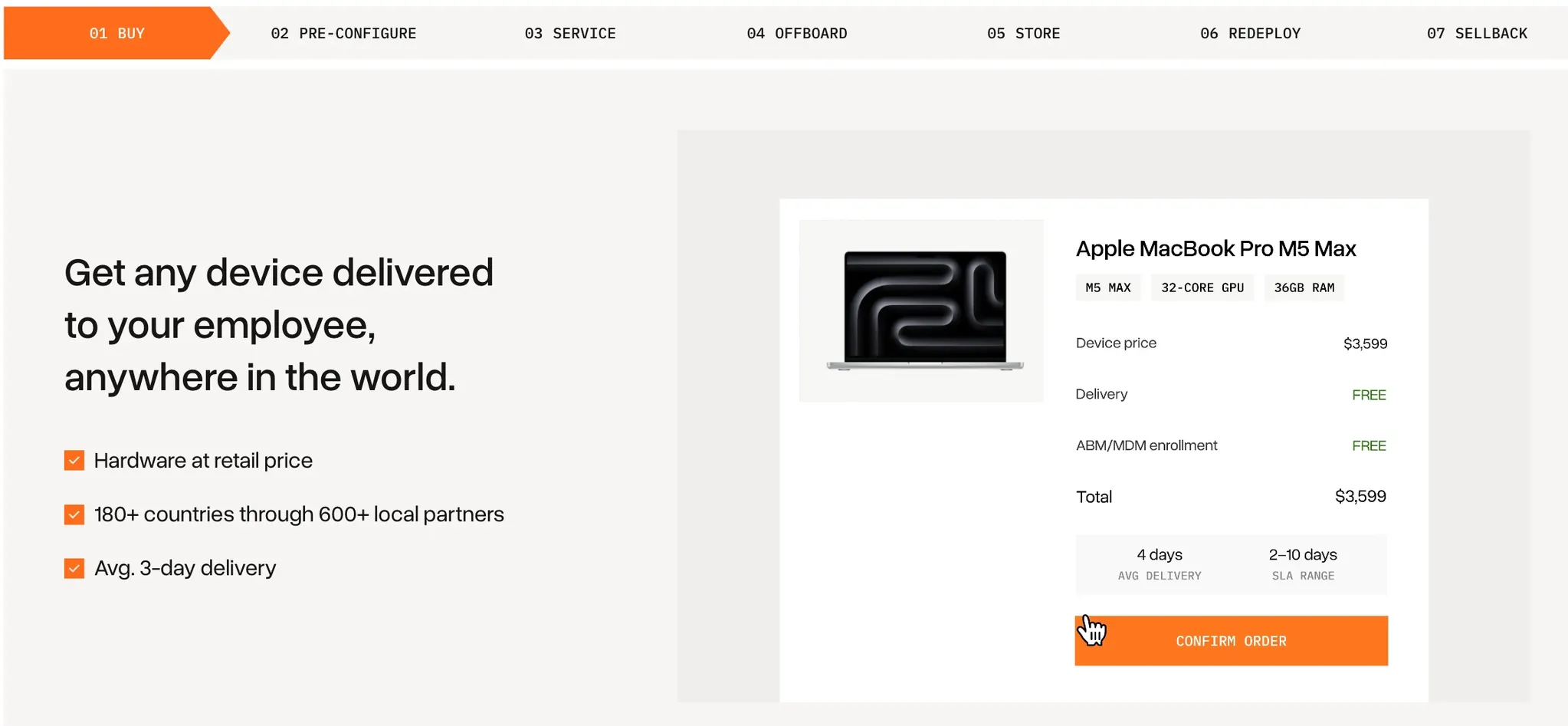
Tequipy keeps a simple record of each company device, laid out in the tabs below, and also buys, delivers, collects, stores, redeploys, repairs and resells those devices in 180+ countries. 600+ local hardware partners buy and deliver, couriers collect, and Tequipy's own team wipes and stores. GLPI keeps a deeper record.
Tequipy Key Features: A Page per Laptop, and Laptops Bought, Delivered and Collected
Four features cover most of what a GLPI team would use Tequipy for.
Records Kept Current by Tequipy's Team and Carrier Tracking
Carrier scans log each delivery and collection, and Tequipy's team logs storage, redeployment and the condition check. Every laptop gets its own page with four tabs:
- Details: what the laptop is and where it stands: status, type, serial number, who has it, the spec, an estimated value and protection such as AppleCare+.
- History: each dated assignment, with the notes admins add along the way.
- Files: invoices, warranty documents, manuals and a thumbnail.
- Repairs: past and open repair requests.
Tags group devices and people, for example by team. Archiving replaces deletion, so a retired laptop still carries its history, repairs and files.
Laptops you bought before Tequipy can be added by hand, through the REST API, or in a CSV of up to 500 rows per file that Tequipy's team imports, usually within 1 to 2 weeks. For those laptops, the record is only as current as the updates you send.
Buying, Shipping and Collecting Laptops in 180+ Countries
Tequipy buys laptops in the employee's country at the recommended retail price, delivery included, with MDM enrollment before dispatch, so each laptop arrives enrolled into the MDM you already run. Delivery takes 3 business days on average. When someone leaves, Tequipy contacts them, books the courier, wipes the laptop and stores it or sends it on to the next hire.
Ordering, Views and Access in One Account
Ordering works like an online shop: an admin picks a country, sees prices and delivery estimates, and tracks the order. Admins set equipment groups, such as one device set for sales and another for engineers. In the employee portal, a new hire chooses from that group with prices hidden, and the order waits for an admin's approval.
A GLPI admin would call them saved searches; Tequipy ships four of them as fixed views. Staff laptops sit in one, your office stock in another, Tequipy's warehouse stock (read only, counted) in a third, archived devices in the last, and search and status filters run across all four. An offboarding steps through 13 statuses, and other services have their own sets. Emails keep people informed about orders, offboardings and requests, invite new staff, and flag a broken HR integration.
Assigned devices export to CSV (without specs), as do orders, with serial numbers, and requests. The dashboard shows actions needed, open orders, payments and the credit line. Access is split between company admins, finance admins and employees, and there is no limit on admin seats. Sign-in can run through Google Workspace, Microsoft Entra ID or Okta, made compulsory if the admins choose, and several invoicing entities fit in one account.
Works Alongside the Tools You Already Use
Tequipy can be used three ways: as your only register, next to GLPI, or in place of a HAM tool you no longer need. On its own, Tequipy's register shows who holds each laptop, its history and its files, while Tequipy buys the devices through local hardware partners, has couriers collect them, and wipes and stores them. Next to GLPI, each tool keeps its own job: GLPI holds the tickets, discovery, CMDB and licences, and Tequipy buys, delivers, collects and stores the laptops.
GLPI takes data in through its own API or a CSV import, and Tequipy's REST API lets your system read each device, order, collection and redeployment. Tequipy sends no webhooks (automatic update messages to other tools), so the link is a scheduled pull that your own team builds. BlueTally is the only tool with a ready-made sync today, one way, for devices added after setup.
The third way suits a team that has stopped using an asset tool's deeper features, such as discovery agents, a CMDB or licence counts. Tequipy's register, described above, can then hold the laptop record instead, and your current records come across in a CSV file that Tequipy imports. At 100 devices or more the register is $99 a month in total, for unlimited devices, and under 100 it costs nothing, whereas each laptop added to a per-asset plan raises that plan's bill.
On the HR side, Tequipy reads employee data from HiBob, BambooHR, Workday and Rippling. REST API tokens are created by admins, either read-only or read-and-write.
Pricing
| Item | Price |
|---|---|
| Platform | $99 a month flat for 100 or more devices, unlimited devices; free under 100 devices |
| Hardware | Recommended retail price, delivery included |
| Collection and redeployment | $70 to $150 per device each |
| Storage | $12 a month per device |
| HR integration (optional) | $199 a month |
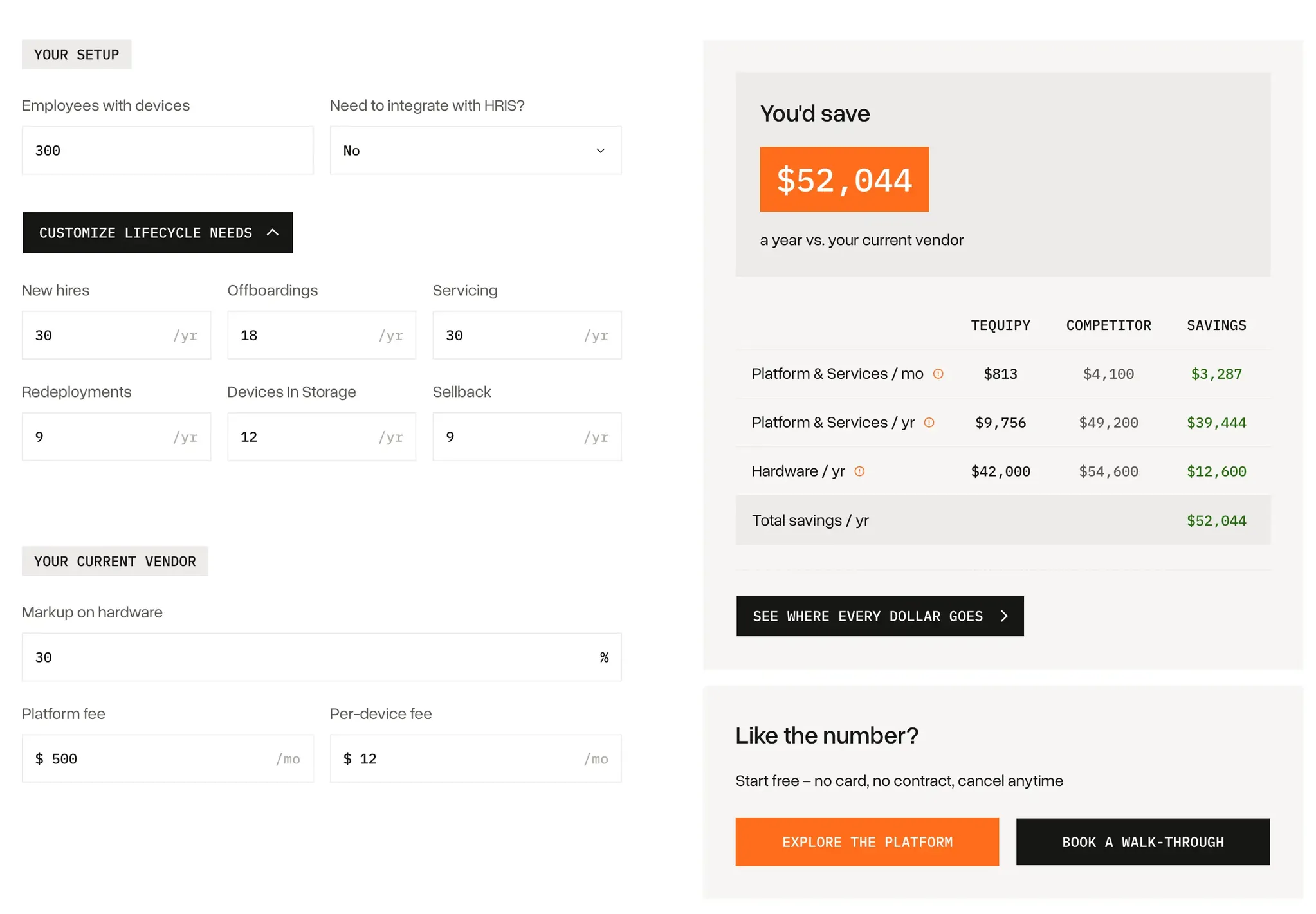
Self-hosted GLPI costs a 100-person team nothing, its cloud €456 a year for two IT agents, and Tequipy $2,856. Tequipy's figure includes offboardings, servicing, redeployments and storage, not hardware. GLPI sells none, so your team does those jobs. US computer user support specialists earn a median of about $30 an hour (US Bureau of Labor Statistics, May 2025). At that rate, the gap with free GLPI closes at about 8 hours a month. Gigs, a 100-person Tequipy customer, saves 100+ hours a month on IT management, worth about $35,700 a year at that rate. Your team also pays the couriers. The optional HR integration adds $199 a month. Enter your team size, hires and leavers in the Tequipy cost calculator.
Where Tequipy Shines
- Physical work in 180+ countries: buying, delivering, collecting and storing laptops, with every standard service rate published.
- A register your team does not host: the device pages covered above stay current for laptops Tequipy handles, because its team and carrier tracking update them.
- One flat platform fee: $99 a month flat for 100 or more devices, with unlimited devices and no per-seat charge; free under 100 devices.
Where Tequipy Falls Short
- A much simpler register than GLPI: each laptop has a page with its holder, dated history, files and repairs. It has no network discovery, CMDB, software licence tracking, depreciation or custom fields.
- No labels, mobile app or check-in and check-out: shared loaner devices and barcode audits are not covered.
- No helpdesk and no asset reports: there are no tickets in Tequipy, and reports by country or age come from Tequipy's team on request.
Customer Reviews
Tequipy holds 4.9 from 4 reviews on G2 as of November 2026, too few to call a pattern, so the case studies carry more weight.
Booksy, which tested Tequipy in Latin America first: "What sets them apart is their incredible responsiveness and true global reach." (Booksy case study)
RemoFirst, which uses Tequipy across 30 countries: "Laptop setup and management just works in a few clicks." (RemoFirst case study)
Who Tequipy Is Best For
- Companies with laptops in several countries and no IT logistics person: Tequipy buys at retail price in 180+ countries and collects leavers' laptops, so nobody on staff books couriers.
- Small IT teams whose register no longer matches who holds each laptop: for laptops Tequipy delivers or collects, the dated history fills in without typing, and there is no server to run.
- Companies making their first hire in a new country: Tequipy needs no contract and no minimum, so a single order in the new country is a real test.
- Not for: technical teams that run their own register and never ship or collect devices. Tequipy's register has no discovery or CMDB to offer them.
{{cta-primary}}
CONCLUSION
Keep Your Register and Let Tequipy Handle the Devices
If GLPI already works for your tickets and your inventory, keep it. Tequipy runs next to it. Your team can pull Tequipy's device records into GLPI through Tequipy's REST API; no ready-made GLPI sync exists. What it takes off your team is the part GLPI never did: buying laptops in each country, shipping them, collecting them from leavers and keeping their custody history current. If laptops in several countries are where your hours go, talk to the Tequipy team and test one order in your hardest country.
FAQ
Is GLPI really free?
Yes. The self-hosted software is free under GPL-3.0 with no asset or user cap. Hosting, support and Teclib's cloud cost extra, from €19 per IT agent a month.
Is GLPI hard to set up?
For many reviewers, yes. Installation and configuration is the most repeated complaint, in about 9 reviews and comments on G2, Capterra and Reddit, and self-hosting needs a PHP server, a database and someone to run upgrades.
Does GLPI do network discovery?
Yes. The GLPI Agent reports hardware and software, and the free GLPI Inventory plugin adds SNMP network discovery for printers, switches and other network devices.
Can Tequipy replace GLPI?
For most GLPI teams, no. Tequipy has no helpdesk, CMDB or discovery, so GLPI keeps those jobs. Tequipy buys, ships and collects the laptops, and your team can pull its device records into GLPI through Tequipy's REST API.
How much does GLPI cost per user?
Nothing for end users. GLPI's cloud charges €19 a month per IT agent, excl. VAT, and people who only open tickets are free on every plan.

Keep your current setup.
Just test us on one order.
AUTHOR
Before Tequipy, Tomek ran IT at Revolut, scaling from 100 employees in 2 offices to 5,000 across 17. He built the system that kept every laptop accounted for, then founded Tequipy – a platform that handles IT equipment logistics for distributed teams across 180+ countries.
As CEO, he runs operations and covers the founder layer: strategy, product, and the company-building that comes with both.
15 minutes. Your countries, your devices, your setup. No pitch.