KEY TAKEAWAYS
- If your renewal climbed with your asset count, Reftab or AssetTiger give you a simpler IT-device register at a price you can read. Reftab is free up to 50 assets, and AssetTiger starts at $20 a month for up to 500 assets.
- If you still want to track any asset type, EZOfficeInventory is the closest like-for-like. It prices per tracked item, from $537 a year for 100 items on its Essential plan, with reservations and purchase orders.
- If setup effort was the problem and you have technical staff, Snipe-IT is free to self-host. Hosted plans start at $39.99 a month with unlimited users and assets.
- Tequipy is the pick for globally distributed teams whose fleet is laptops spread across countries. Its register gives every laptop a page; local hardware partners buy and deliver the laptops in 180+ countries, and Tequipy collects, wipes and stores them. Its platform fee stays at $99 a month flat from 100 devices, unlimited devices included, and costs nothing below 100.
For one former customer on r/ITManagers, the trigger for searching asset panda alternatives was a renewal. They put numbers on it in an October 2025 comment: "We were spending nearly $7,000 a year for 1500ish assets." They moved to Snipe-IT and now spend "around $300 a year for unlimited users/assets".
The right alternative depends on why you are leaving: price, setup effort, a tool built for more than you track, or the fact that no register buys, ships or collects your laptops. Below, each reason gets the tool that fixes it, and every price was read in November 2026.
7 Best Asset Panda Alternatives in 2026: At a Glance
Each tool below fixes one reason to leave Asset Panda. The ratings link to each review page.
| Tool | Best for | Stand-out feature | Price starting point | Rating |
|---|---|---|---|---|
| Reftab | IT device custody without per-asset quotes | Check-in, check-out, reservations and kits on the free plan | Free up to 50 assets; $125 a month paid (asset count and billing term not stated) | 4.4 from 29 on G2 |
| Tequipy | Laptops held by staff in several countries | Page per laptop with holder, dated history, files and repairs; equipment groups with admin approval; data in by manual entry, CSV import or REST API; no discovery, licences or CMDB; plus buying, shipping and collecting in 180+ countries | $99 a month flat for 100 devices or more, unlimited devices; free under 100 devices; services per use | 4.9 from 4 on G2 |
| AssetTiger | Small teams wanting fixed asset-tier prices | Every feature on every paid plan | $20 a month for up to 500 assets | 4.5 from 16 on G2 |
| EZOfficeInventory | Any-asset tracking with reservations and stock | Reservations, consumables and purchase orders | $537 a year for 100 items, Essential, billed yearly | 4.4 from 406 on G2 |
| Snipe-IT | Technical teams that can self-host | Free open-source licence, deep custom fields | Free self-hosted; hosted $39.99 a month, unlimited users and assets | 4.6 from 27 on G2 |
| Lansweeper | Network discovery across offices | Agentless scanning of everything on the network | $299 a month, Starter, billed annually, 2,000 assets included | 4.4 from 70 on G2 |
| InvGate Asset Management | Discovery and a CMDB at a published price | Discovery, CMDB and licence metering | $1,499 a year, Starter, up to 500 IP devices | 4.7 from 11 on G2 |
Last checked: November 2026 (Lansweeper prices on 17 November 2026). Tequipy sits second because it answers a different reason for leaving, and its section explains when that reason applies to you.
1. Reftab: Best for IT Device Custody Without Per-Asset Price Jumps

Reftab's free plan covers 50 assets "free forever", and its paid Hardware Asset Management plan is $125 a month (Reftab pricing page, read November 2026). For an Asset Panda leaver who tracks mostly IT devices, it is the closest swap: a hosted register built around who holds which device, without a mixed-asset database to configure first.
Key Features
Check-In, Check-Out and Reservations
Barcode and QR check-in and check-out, reservations and kits are on the free plan. A mobile app gained an offline mode in October 2026.
Labels, Barcodes and QR Scanning
Labels come out of Reftab's own label designer, and a phone camera reads them during a stock count.
Integrations With MDM, HR and Helpdesk Tools
On the $125 tier, Reftab reads devices from Intune, Jamf, Mosyle and NinjaOne, connects to BambooHR, HiBob and Workday, and links to Jira Cloud and Zendesk. A leaver in the HR system opens an offboarding ticket.
Pricing
| Item | Price |
|---|---|
| Free | 50 assets, no integrations |
| Hardware Asset Management | $125 a month, unlimited users; asset count and billing term not stated on the page |
| Complete ITAM | Custom, based on assets and software users |
| Trial | 14 days |
Where Reftab Shines
- A price you can see: the main tier is a published monthly figure, and you can read it before any call, which Asset Panda's quote form does not allow.
- Custody features for free: check-in, check-out, reservations and kits do not need the paid tier.
- Simple to live with: Tim D. wrote in a November 2025 Capterra review: "I like Reftab because it just works. No bloat, no bull."
Where Reftab Falls Short
- Returns go to another company: device collection needs a separate Hello Retriever Enterprise account, so Reftab itself sends nobody to a leaver.
- Data entry is still manual: Nick P. wrote in an October 2025 Capterra review: "The platform still feels quite manual when it comes to data input. Integration with Intune is helpful, but not all fields map correctly."
- Integrations cost $125 a month: the free plan has none.
Customer Reviews
On Capterra, 139 reviewers give Reftab 4.7; on G2, 29 reviewers give it 4.4 (November 2026). All 10 G2 reviews on the first page came from an October 2026 seller-invite drive, so the larger Capterra base is the better guide. Praise centres on simplicity; about 6 reviews and comments flag manual entry, about 5 paid-tier gating and about 4 reporting.
Who Reftab Is Best For
- IT teams that lend and track shared devices: reservations and kits fit loaner pools and office hardware.
- Teams that want to budget without a sales call: the price is on the page.
Tequipy can read Reftab data one way, from Reftab into Tequipy, every night. Tequipy does not write back into Reftab, so a team that keeps Reftab as its register builds its own pull from Tequipy's REST API to see deliveries and collections there.
2. Tequipy: Best for Laptop Logistics Across Countries
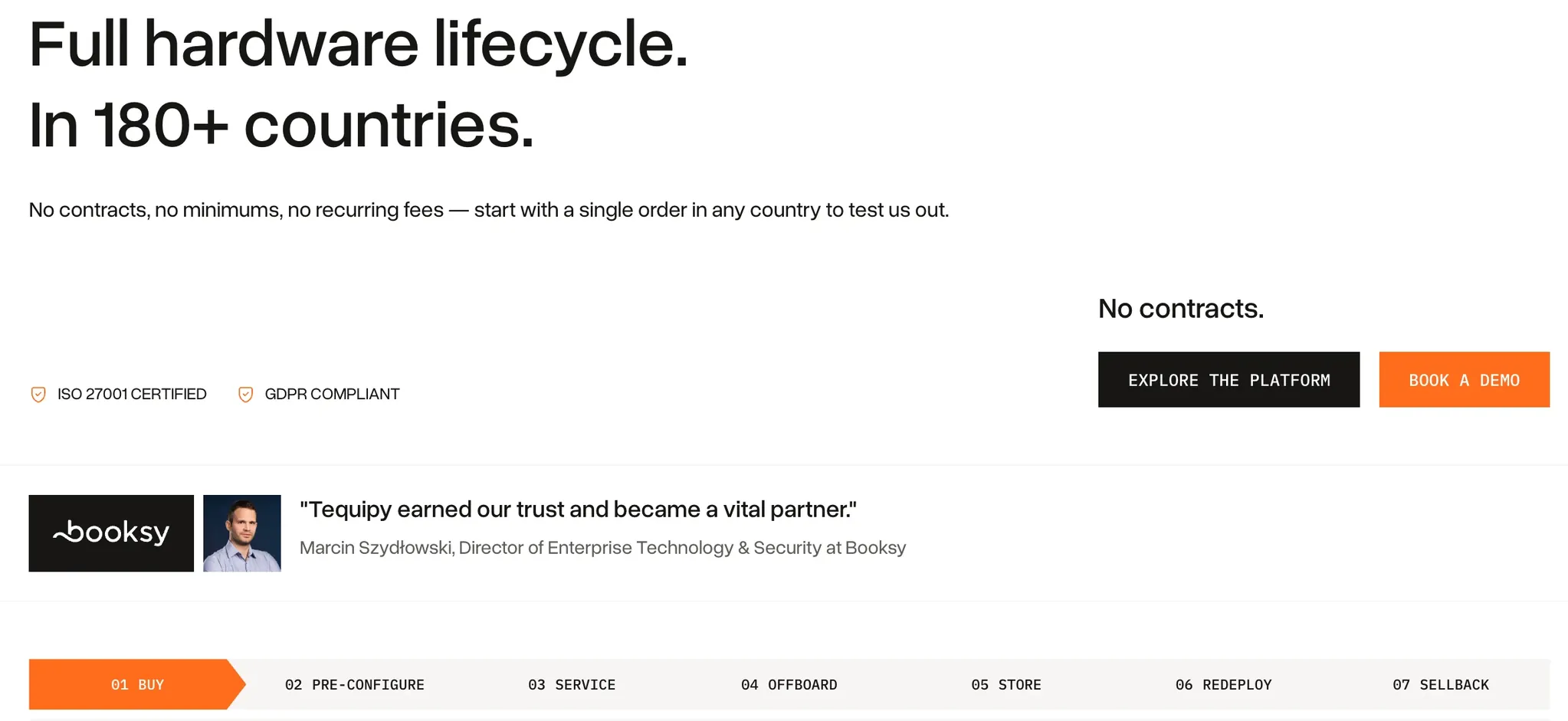
Tequipy keeps a register of company laptops, with the tabs and views set out below. It also buys and delivers those laptops through 600+ local hardware partners in 180+ countries. When people leave, a courier collects the laptops, and Tequipy's team wipes and stores them. It covers laptops and other IT devices, not tools or vehicles.
The idea comes from Revolut, where co-founder Tom Stawarski led IT through growth from 100 to 5,000 staff in 17 offices. His recurring question was practical: how does a laptop reach someone abroad, and how does it come home?
Tequipy Key Features
Four features matter for a team leaving Asset Panda with a fleet of laptops spread across countries.
Buying, Shipping and Collecting Laptops in 180+ Countries
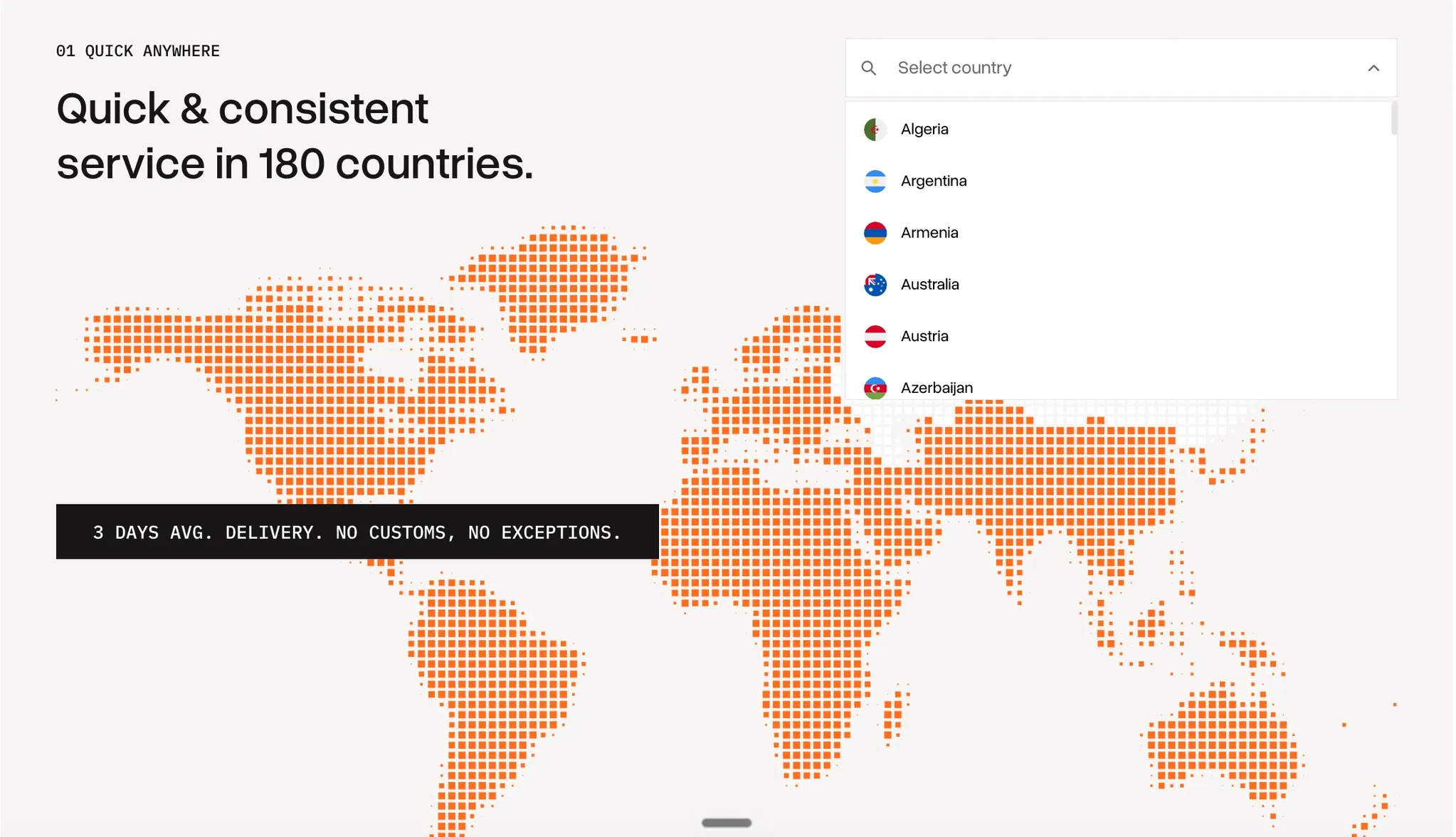
A register cannot buy, ship or collect a laptop. Asset Panda can show who has a laptop, but nobody comes to collect it when that person leaves.
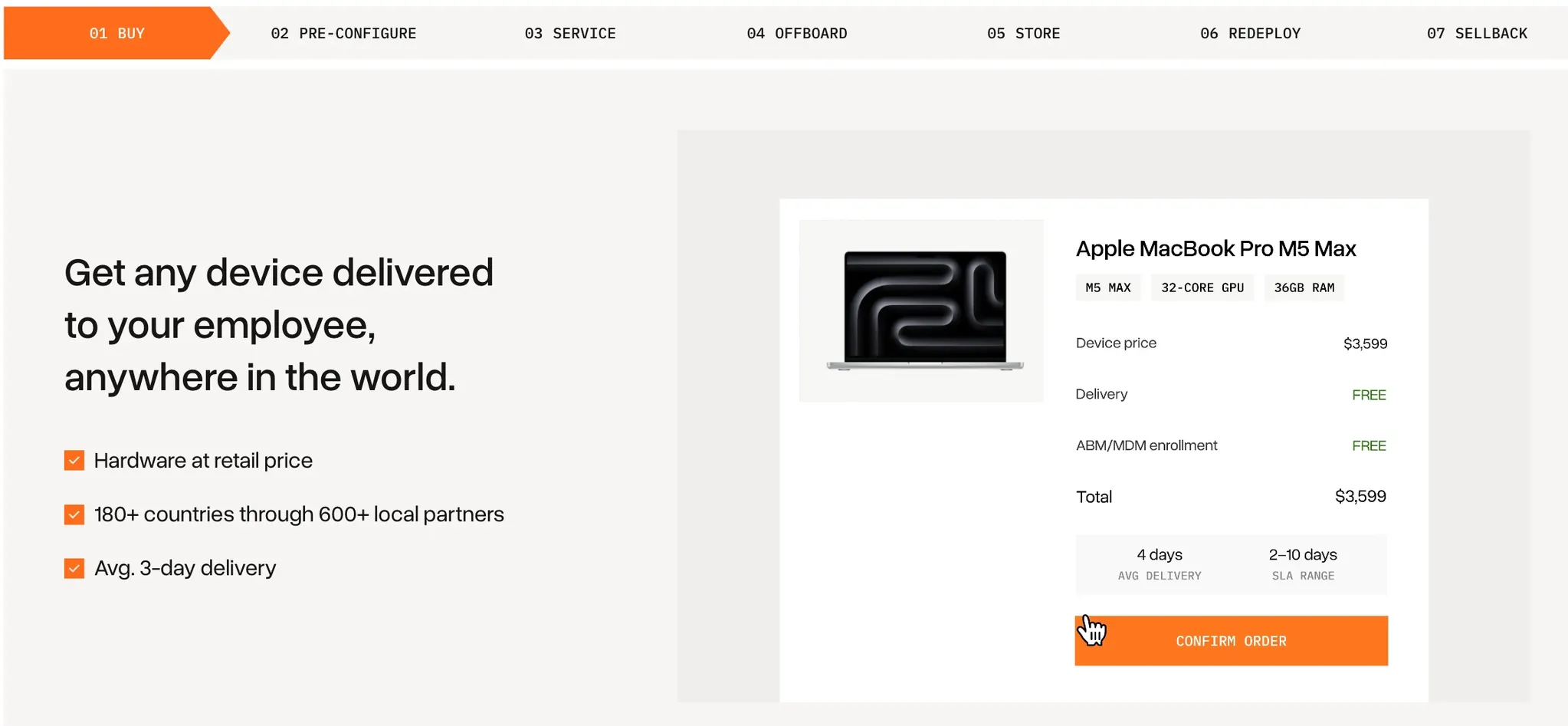
Each laptop is ordered inside the new hire's own country, at retail price with delivery in the price, so it never crosses a border or sits in customs; that is how IT procurement services work here. At the other end, Tequipy's team emails the leaver, sends packing materials, books the pickup, wipes the device and stores, redeploys or buys it back. At Booksy, 99% of laptops reached people before day one, according to the Booksy case study.
Device Records Kept Current by Tequipy's Team and Carrier Tracking
Your team does not type these changes in. When the carrier scans a laptop as delivered or collected, its page shows the new status. Tequipy's operations staff add the serial number at purchase, the result of the condition check, and each move into storage, redeployment or sell-back. Every laptop gets its own page with four tabs:
- Asset Details: status, type, serial number, the person who holds it, its specification, an estimated value and any protection plan such as AppleCare+.
- Asset History: each past and current assignment with its dates, plus the notes admins add along the way.
- Asset Files: invoices, warranty documents, manuals and a thumbnail.
- Repair History: repair requests, both closed and still open.
You can label people and laptops with tags. When a laptop is retired, Tequipy archives it instead of deleting it, which keeps the files, repairs and history. Devices bought elsewhere go in by hand, by a CSV of up to 500 rows that Tequipy's team imports, or through the REST API.
Ordering, Views and Access in One Account
Search and status filters work across four lists. The lists are: laptops people are using, spares kept on your own shelves, Tequipy warehouse stock (read only, with a count) and the archive. An order starts with a country, shows prices and delivery estimates, and is then tracked to the door. Admins decide which laptops each team may pick through equipment groups. A salesperson sees the sales set, an engineer sees theirs, nobody sees a price, and each request waits for an admin's approval.
Orders and offboardings each display where they stand; an offboarding can sit in any of 13 statuses, from "Offboarding Scheduled" to "Offboarding Completed". Emails cover new orders and offboardings, request changes, welcome invitations for new staff, and a warning when the HR connection breaks. Assigned devices export to CSV (specs are not included), as do orders with serial numbers and requests. On access, there is no cap on admin seats. A finance admin role sits between company admin and employee. Login can go through Google Workspace, Microsoft Entra ID or Okta, and admins may switch that single sign-on to mandatory. One account can bill several invoicing entities and draw on a credit line. API tokens are issued by admins themselves, either read only or read and write.
Works With the HR Tool You Already Use
An optional $199 a month integration reads people data one way from HiBob, BambooHR, Workday or Rippling, so new hires appear in Tequipy without typing. With Rippling, a leaver can also start an offboarding. There are three ways to use Tequipy. The first is alone, with its register as the only record. The second is beside a register you keep, such as Reftab, Snipe-IT or AssetTiger from this list: that tool keeps the labels, licences and audit reports, and Tequipy buys, delivers, collects and stores the laptops. For that, your team writes a job that pulls devices, orders, collections and redeployments from Tequipy's REST API on a schedule and loads them through the other tool's API or CSV import. Only BlueTally gets a built-in feed today, and it runs one way and covers devices added after setup. The third suits a team that no longer uses a register's deeper features, such as label printing, licence records or depreciation schedules. For that team, the laptop record can sit in Tequipy's register alone, starting from a CSV file of current records that Tequipy's team loads. Pricing there is $99 a month flat from 100 devices, with no cap on devices and no charge below 100, whereas a per-asset plan grows each time the fleet does.
Tequipy Pricing
| Item | Price |
|---|---|
| Platform | $99 a month flat for 100 devices or more, unlimited devices; free under 100 devices |
| Devices | Recommended retail price, delivery included |
| Offboarding | $70 to $150 per device, by country |
| Storage | $12 per device a month |
| Redeployment | $70 to $150 per device |
| HR integration | $199 a month, optional |
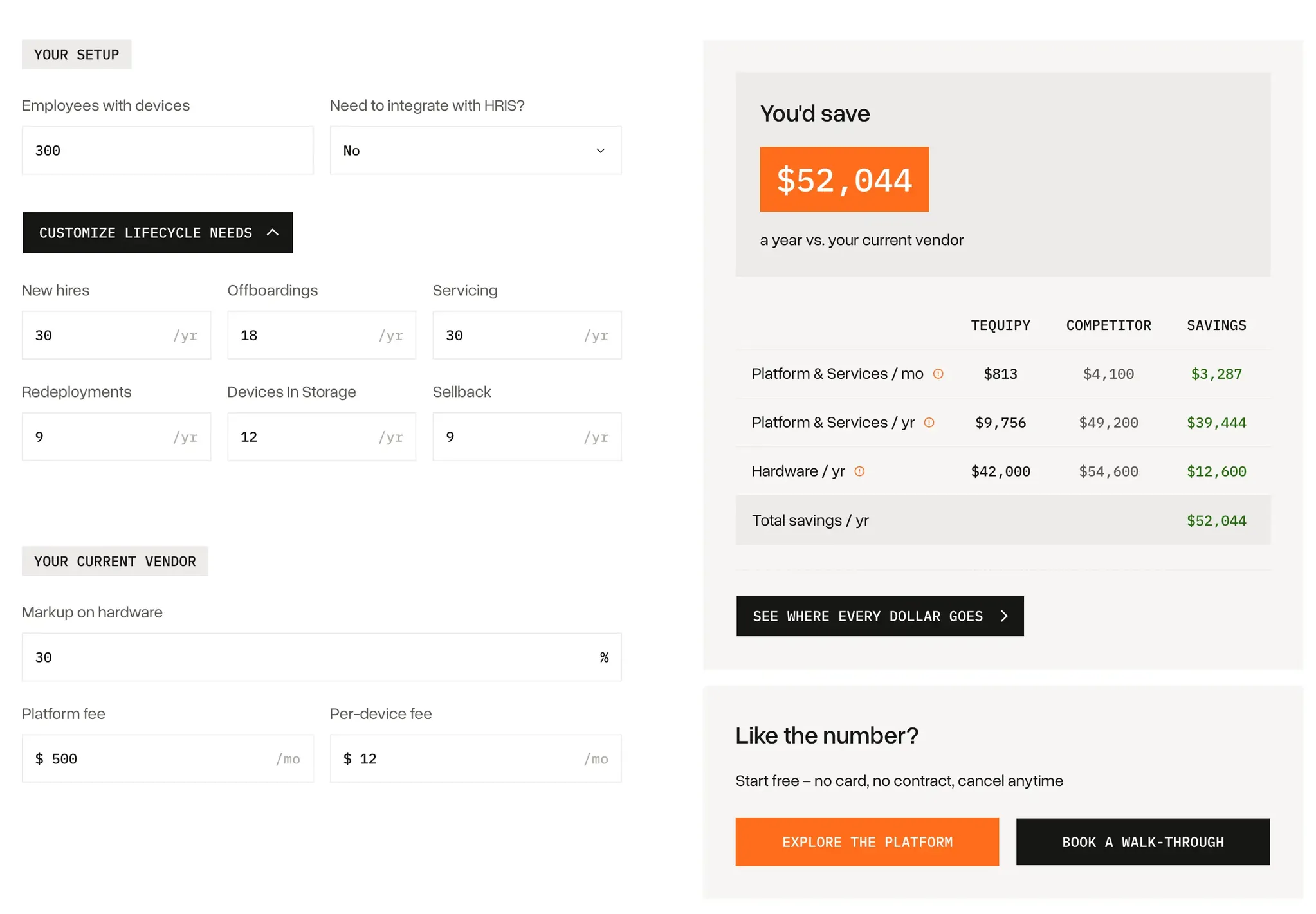
For 100 laptops, the published yearly entry price is $220 on AssetTiger, $399.99 on hosted Snipe-IT and $537 on EZOfficeInventory. Reftab's paid tier is $1,500, with no published asset limit. All four prices are for software only. Asset Panda's Starter package starts at $3,000 a year, and its own account tied it to 1,000 assets. No exact 100-person figure exists for Asset Panda. On Tequipy's pricing calculator, checked in November 2026, $2,856 a year covers the platform and a year of services for 100 people. Hardware is not included.
Asset Panda's quote and the four prices above do not include buying, shipping or collecting laptops, so your team does those jobs. US computer user support specialists earn a median of about $30 an hour (US Bureau of Labor Statistics, May 2025). Gigs, a 100-person Tequipy customer, saves 100+ hours a month on IT management, worth about $35,700 a year at that rate. Your team also pays the couriers. The HR sync adds $199 a month if chosen. Put in your headcount, leavers and current fees and see for yourself.
Where Tequipy Shines
- Physical work in 180+ countries: laptops bought locally, delivered, collected and stored, with every standard service rate on the Tequipy pricing page.
- A record your team does not have to type in: a laptop's holder changes on its page once a carrier scan confirms the delivery or pickup.
- A platform fee that stays flat: $99 a month for 100 devices or more, instead of a price that steps up with every block of assets.
Where Tequipy Falls Short
- Fewer record features: every laptop gets a page with its holder, history, files and repairs. You get no asset reports, depreciation, custom fields, labels, mobile app, loaner check-in and check-out, or warranty end dates.
- Laptops and IT gear only: tools, vehicles and mixed equipment are outside what it tracks.
- Nothing on the software side: Tequipy runs no network discovery, keeps no software licences and has no CMDB (a map of how IT systems connect). A dedicated tool can hold those records, fed with Tequipy device data by a REST API job your team writes.
Tequipy Customer Reviews
Tequipy holds 4.9 from 4 reviews on G2 (November 2026). Two customers describe working with Tequipy in their own words.
Lisa Kiseleva, People Operations at Gigs, which hires across 20 countries: "They actually listen, adapt quickly, and make our fast-paced, day-to-day operations so much easier." (Gigs case study)
Lera Lykholiet, People Operations at RemoFirst: "We've been partnering with Tequipy for over two years, and their support has been invaluable." (RemoFirst case study)
Who Tequipy Is Best For
- IT or People Ops teams with laptops held by staff in several countries: one order screen buys at retail price in 180+ countries, so a new country needs no new supplier.
- Teams with no one whose job is IT logistics: collection, wiping and storage are priced per device on a public page, and each laptop's page (holder, dated history, files, repairs) changes without your team typing, so no new hire is needed for it.
Pro tip: count the hours, not just the licence. Someone on your team updates the register and packs the laptops. Track that person's hours for a month, then price a year of them at their pay. Put that total beside each quote in this list, then read how zero-touch deployment removes the setup step for new laptops.
{{cta-primary}}
3. AssetTiger: Best for Cheap, Predictable Asset-Tier Pricing

For up to 500 assets, AssetTiger charges $20 a month, or $220 if you pay for the year (Basic plan, AssetTiger pricing page, read November 2026). Prices step up by asset tier, not by quote, which makes it the plainest answer for a small team that wants to escape a negotiated renewal. Its review base is thin, so test it before you move a large fleet.
Key Features
Labels, Barcodes and Mobile Scanning
AssetTiger prints labels and scans them in a mobile app with an offline mode.
Check-In and Check-Out
Assets check out to people with due dates, and the record shows who holds what.
Same Features on Every Plan
Every paid tier has the same features: depreciation (four methods), warranty alerts at 30, 60 or 90 days, an audit log and a REST API. Only the asset limit changes.
Pricing
| Item | Price |
|---|---|
| Basic | $20 a month or $220 a year, up to 500 assets |
| Core | $40 a month or $440 a year, up to 2,500 assets |
| Advanced | $75 a month or $825 a year, up to 10,000 assets |
| Pro | $140 a month or $1,540 a year, up to 50,000 assets |
| Enterprise | $275 a month or $3,025 a year, up to 250,000 assets |
| Trial | 30 days, up to 250 assets and 2 users, then view-only |
There is no free plan since August 2026. Users are unlimited on paid plans.
Where AssetTiger Shines
- Clear tier prices: you know the cost at 500 or 2,500 assets before you talk to anyone.
- Unlimited users on paid plans: adding a colleague costs nothing.
- Easy to start: Kraig K. called it "straightforward and easy to use" in a June 2026 Capterra review.
Where AssetTiger Falls Short
- No HR or MDM connectors: devices arrive by CSV import or the API, so someone has to feed it.
- Price changes drew complaints: at least 6 on Capterra and Reddit after the July 2025 cut. Preston P. wrote in a July 2025 Capterra review that "the leap is just absurd from FREE, to $240 a year".
- Thin evidence: 16 G2 reviews is a small sample.
Customer Reviews
AssetTiger holds 4.6 from 272 Capterra reviews and 4.5 from 16 on G2 (November 2026). In the reviews and comments we checked, about 10 praise the setup and about 8 the check-in flow; at least 6 complain about price changes and about 4 about missing integrations.
Who AssetTiger Is Best For
- Small teams that want cheap, fixed pricing: under 500 assets costs $220 a year.
- Teams that do not need connectors: if CSV imports are enough, nothing else is required.
4. EZOfficeInventory: Best for Any-Asset Tracking With Reservations and POs

EZOfficeInventory's Essential plan costs $537 a year for 100 tracked items, or $48 a month month to month, with "Unlimited users*" (vendor pricing calculator, read November 2026). The product now carries the name EZO EAM on its own homepage. It is the direct like-for-like if you still want to track tools, equipment and consumables along with IT, and it publishes its price where Asset Panda does not.
Key Features
Reservations and Check-Out
Equipment books out to people or projects, with labels and a mobile app on every plan.
Consumables and Purchase Orders
Stock levels and consumables are tracked; purchase orders need the Advanced plan.
Maintenance Add-On
A full maintenance module (CMMS) is sold separately, priced per admin user.
Pricing
| Item | Price |
|---|---|
| Essential, 100 items | $537 a year billed yearly, or $48 a month |
| Advanced, 100 items | $627 a year billed yearly, or $58 a month |
| Premium, 100 items | $690 a year billed yearly, or $65 a month |
| Enterprise | Custom; from 3,800 items the page asks you to talk to sales |
| Trial | 14 days |
Price is set per band of tracked items.
Where EZOfficeInventory Shines
- Any asset type: tools, equipment, consumables and IT in one tool, like Asset Panda.
- Reservations and stock: shared equipment and consumables are first-class features.
- Fast daily use: a technology specialist praised "the ease of checking in and out items and how simple it is to locate a missing asset" in a December 2023 Capterra review.
Where EZOfficeInventory Falls Short
- Thin for IT: no MDM sync and no network discovery.
- Integrations sit on higher plans: Zendesk, Jira and directory sync need Premium. Nicolas T. wrote in a May 2024 Capterra review: "It does not have advanced features such as better integrations with other systems."
- A dated interface: the loudest complaint in its Capterra reviews, much of it from before 2023.
Customer Reviews
EZOfficeInventory holds 4.6 from 1,546 Capterra reviews and 4.4 from 406 on G2 (November 2026). A large share of its Capterra reviews predate 2023, so read recent ones first.
Who EZOfficeInventory Is Best For
- Teams that book out shared equipment: reservations and check-out are core.
- Teams tracking stock across sites: consumables and purchase orders fit operations teams.
5. Snipe-IT: Best for Free Self-Hosting

Snipe-IT is free to self-host under an open-source licence, and its Basic Hosting plan costs $39.99 a month or $399.99 a year with unlimited users and assets (Snipe-IT pricing page, read November 2026). Three Asset Panda leavers on Reddit name it as where they went.
Key Features
Custom Fields and Asset Records
Custom fieldsets per asset model, and a field-level action log on every record.
Labels and Check-In/Check-Out
Labels, check-out to people or locations, and acceptance emails.
Open API and Licence Tracking
A REST API, plus licences with seats and expiry alerts. Version 8.8.0 (September 2026) added MDM and RMM sync adapters, in beta and mostly read-only.
Pricing
| Item | Price |
|---|---|
| Self-hosted | Free |
| Basic Hosting | $39.99 a month or $399.99 a year, unlimited users and assets |
| Small Business Hosting | $99.99 a month or $999.99 a year |
| Dedicated | $2,499.99 a year and up |
Every plan has the same features.
Where Snipe-IT Shines
- No licence cost: self-hosting is free.
- Deep custom fields and an open API: technical teams can shape it.
- Free and detailed: a project engineer described "A free self-hosted option for detailed and customized asset tracking for your company" in a May 2026 Capterra review.
Where Snipe-IT Falls Short
- Someone has to run it: self-hosting means servers, upgrades and backups.
- Records go out of date unless someone types every change: the sysadmin who opened an r/sysadmin thread in February 2025 wrote that "having to build or tinker around with integrations is just too much work".
- No HR or ITSM connectors: users sync from LDAP or SCIM only.
Customer Reviews
Snipe-IT holds 4.6 from 27 G2 reviews and 4.4 from 23 on Capterra (November 2026). Reviewers praise flexibility and price; more than 10 reviews and comments flag manual upkeep and about 5 setup.
Who Snipe-IT Is Best For
- Technical teams with time to run a server: the licence is free, the work is not.
- Teams that want the hosted version cheaply: $399.99 a year covers unlimited assets.
6. Lansweeper: Best for Automated Network Discovery

As of November 2026, Lansweeper Starter starts at $299 a month and Pro at $528 a month, both billed annually and each including 2,000 assets; Enterprise is custom from 10,000 assets, and a free plan covers the first 100 assets. It is a different kind of tool from Asset Panda: it finds devices on your network instead of waiting for someone to type them in.
Key Features
Agentless Network Discovery
Lansweeper scans the network without agents and builds the inventory itself. Remote laptops need its IT Agent.
Lifecycle and Vulnerability Insights
On Pro, it adds vulnerability and end-of-life reports.
Licence Compliance
Software licence compliance is a paid add-on on Pro and Enterprise.
Pricing
| Item | Price |
|---|---|
| Free | First 100 assets, 6 user seats |
| Starter | From $299 a month, billed annually, 2,000 assets included |
| Pro | From $528 a month, billed annually, 2,000 assets included, up to 9,000 |
| Enterprise | Custom, from 10,000 assets |
Where Lansweeper Shines
- The inventory builds itself: discovery replaces manual entry for anything on the network.
- Deep asset data: for anything on the network, it collects hardware, software and port details without a person typing them in.
Where Lansweeper Falls Short
- Price rises and a push to the cloud: a non-profit reviewer listed "Increase in pricing and trying to force users into the cloud" in a March 2026 G2 review.
- An older interface: Nabil N. wrote in an April 2026 Capterra review: "The interface feels dated and some reports take more clicks than they should."
- Network scans miss laptops outside the office: remote devices need an agent installed, and paid plans start at a 2,000-asset band.
Customer Reviews
Lansweeper holds 4.4 from 70 G2 reviews and 4.5 from 75 on Capterra (November 2026).
Who Lansweeper Is Best For
- IT teams with large office networks: discovery pays off where devices sit on the network.
- Security-minded teams: vulnerability and end-of-life reports sit on Pro.
7. InvGate Asset Management: Best for Discovery and a CMDB at a Published Price

InvGate Asset Management's Starter plan is $1,499 a year, fixed, for up to 500 IP devices; Pro is $5 per IP device a year from $2,500 (InvGate pricing page, read November 2026). It adds what Asset Panda lacks: discovery, a CMDB and licence metering.
Key Features
Discovery
Agentless scans over 11+ protocols, plus agents, and read-only MDM imports.
CMDB Mapping
Pro maps how devices and services relate.
Licence Metering
Pro also tracks software licence use.
Pricing
| Item | Price |
|---|---|
| Starter | $1,499 a year, up to 500 IP devices |
| Pro | $5 per IP device a year, from $2,500 a year, 500 to 5,000 devices |
| Enterprise | Custom, from $12,000 a year |
| Trial | 30 days |
Where InvGate Shines
- A published price for discovery: few discovery tools show one.
- Value for the price: Jeremy R. listed "Easy to use, access to standar asset information, cost/benefict positive balance" in a March 2023 Capterra review.
Where InvGate Falls Short
- Reports: Alvaro P. wrote in an August 2023 G2 review that "the lack of customization in some reports is something that is greatly needed".
- A 500-device ceiling on Starter: above that, Pro costs $5 per IP device a year.
- Older reviews: most quotes date from 2022 to 2024.
Customer Reviews
InvGate holds 4.7 from 11 G2 reviews and 4.4 from 14 on Capterra (November 2026); 9 of the 11 G2 reviews come from Latin America.
Who InvGate Is Best For
- IT teams that need a CMDB: relationships between devices and services matter to them.
- Teams that want discovery at a known price: $1,499 a year is on the page.
Reasons to Consider an Alternative to Asset Panda
Here are four reasons to look elsewhere. Match yours to the tool above that fixes it.
Renewals Climb as Your Asset Count Grows
Per Asset Panda's account on Reddit, 3k a year buys the base package of 1,000 assets, and extra assets come in blocks. The customer quoted above felt those blocks at renewal, paying nearly $7,000 a year for about 1,500 assets. AssetTiger and Snipe-IT publish fixed tiers instead.
Setup Effort, and Too Much Tool for IT Devices Only
Asset Panda is built to track any asset, so an IT-only team builds collections, fields and forms it may not need. Even user setup takes steps; an incentivized reviewer wrote in a 2022 TrustRadius review that "Setting up users has multiple steps that could be streamlined". Reftab and AssetTiger start with IT-shaped defaults.
No Public Pricing
Asset Panda's pricing page is a quote form. You cannot compare it with anything until a call, which is why Reftab, AssetTiger, EZOfficeInventory and Snipe-IT, all of which show prices, appear in this list.
Nobody Buys, Ships or Collects the Laptops
Asset Panda shows who has a laptop; it does not get it back. In Capterra's 2022 HR survey, 71% of HR workers said a leaver had kept company equipment at least once. Sending new laptops out fails too. One buyer told Tequipy's team: "We tried shipping from HQ but customs killed us, so now we buy locally where we can."
Pro tip: most asset tools can now see a remote laptop through an agent or an MDM sync. The hard part is getting it back, and almost no asset tool sends anyone to collect it. Tequipy does, in 180+ countries, through its laptop retrieval service.
If two or more of these reasons sound familiar, pick the tool that fixes the first one on your list.
{{cta-primary}}
CONCLUSION
Keep a Simple Register and Let Tequipy Ship and Collect the Laptops
Want to track mixed assets: EZOfficeInventory, or stay on Asset Panda with a firmer quote. Want cheap IT-device tracking: AssetTiger or Reftab. Have technical staff and want no licence: Snipe-IT. Laptops in several countries that someone has to ship and collect: that is Tequipy, with prices on the Tequipy pricing page. To check it against your own fleet, contact Tequipy's team. If you are still choosing a category rather than a tool, compare hardware asset management software with remote equipment management first.
FAQ
What is the best Asset Panda alternative for IT devices?
Reftab or AssetTiger, for a fleet of IT devices. Both are built around IT devices and publish prices: Reftab is free up to 50 assets, and AssetTiger starts at $20 a month for up to 500 assets.
Is there a free alternative to Asset Panda?
Yes. Snipe-IT is free to self-host, and Reftab is free for up to 50 assets. AssetTiger dropped its free plan in August 2026.
Why is Asset Panda so expensive?
It prices by asset count. One Reddit user wrote that the subscription rose with every 100 or so assets, and its own blog says the Starter package starts at $3,000 a year, which its Reddit account tied to 1,000 assets.
Can Tequipy replace Asset Panda?
Not as an any-asset register. Tequipy keeps a register of laptops and IT devices, with a page for each that shows its holder and the dates each person held it. It also buys and delivers them through local hardware partners, has a courier collect them from leavers, and wipes and stores them. A team that keeps Asset Panda for tools and equipment can pull Tequipy's device data into it through Tequipy's REST API, on a connection the team builds itself.
Is Lansweeper an Asset Panda alternative?
Partly. Lansweeper discovers devices on your network instead of relying on manual entry, but it does not track tools or vehicles, and paid plans start at $299 a month for 2,000 assets.

Keep your current setup.
Just test us on one order.
AUTHOR
Before Tequipy, Tomek ran IT at Revolut, scaling from 100 employees in 2 offices to 5,000 across 17. He built the system that kept every laptop accounted for, then founded Tequipy – a platform that handles IT equipment logistics for distributed teams across 180+ countries.
As CEO, he runs operations and covers the founder layer: strategy, product, and the company-building that comes with both.
15 minutes. Your countries, your devices, your setup. No pitch.