
KEY TAKEAWAYS
- An IT onboarding and offboarding checklist is a written sequence of steps, each with a named owner and a deadline, covering the device, the accounts, the access rights, the data and the physical return of equipment.
- Run each checklist in three phases. Onboarding covers the weeks before the start date, day one, and the first two weeks. Offboarding covers the notice period, the last day, and the month after departure.
- Closing an account does less than most teams assume. Among the 59% of HR workers whose organisation lost equipment holding sensitive information, only 55% could lock the former employee out of the device itself, according to Capterra's 2022 offboarding survey.
- Distance changes the plan rather than the steps. Someone leaving in another country needs a return address, a courier and an answer on customs decided before the notice period ends.
An IT onboarding and offboarding checklist turns two chaotic weeks into a sequence anyone on the team can run. Onboarding is the shorter half: order the device, configure it, deliver it before day one, grant access, verify it works. Offboarding is the half that gets skipped, and it carries the security exposure and the money. This guide gives both checklists with owners and deadlines, the six mistakes that break them, and the extra steps a cross-border team needs.
.avif)
IT Onboarding and Offboarding Checklist for Remote Employees
The checklists below are this guide's own working method rather than a published standard. Where a step maps onto a named control in ISO/IEC 27001 or NIST SP 800-53, the control is cited so a security reviewer can trace it. Copy each table into your own tracker and keep the owner column filled, because an unowned step is the one that gets missed.
IT Onboarding Checklist
Onboarding splits into three phases: the work before the start date, the handover on day one, and the confirmation that closes the record. The deadlines below assume a standard notice period. Compress them and the device becomes the constraint, because hardware cannot be provisioned in an afternoon.
Before the Start Date: Device, Accounts, Access and Shipping
This phase decides whether day one works. The device has the longest lead time, so it is ordered first and everything else is built around it. A role-based bundle removes the guesswork: define what a backend engineer, a designer and a sales hire each receive, and ordering becomes one selection rather than a conversation.
Buying in the employee's country removes the customs step from the timeline, the single largest source of delay on a first-day delivery. Where a cross-border shipment is unavoidable, shipping a laptop internationally turns on who acts as importer of record and what duty lands on arrival. Enrolment before dispatch is what makes the handover hands-free, and zero-touch deployment is the name for doing it through Apple Business Manager or Windows Autopilot.
Day One: Handoff, First Login, MFA and Access Testing
Day one is a verification exercise. The starter unboxes a machine that already knows which organisation it belongs to, signs in, and the configuration profile does the rest. What the checklist adds is proof: somebody watches them open each system they will need that week, rather than assuming a group membership means working access.
The equipment policy decides who pays for damage, what happens on departure, and whether personal machines are allowed at all. Which clauses it needs depends on the model underneath it. Only company-owned devices put the security baseline under the employer's control from the first login.
The First Two Weeks: Confirm, Record, Resolve
The closing phase exists because every later step depends on the asset record. If the serial number, the owner and the location are wrong on day fourteen, the offboarding checklist fails a year later and nobody knows why.
A register that nobody reconciles drifts within a quarter. Remote asset management turns on a three-way reconciliation between the register, the enrolment list in your MDM, and what employees say they actually hold.
IT Offboarding Checklist
Offboarding runs on the same three-phase shape, and the phases matter more here because the clock is external. The moment notice is given, a countdown starts on data, access and a physical object sitting in somebody's home. Microsoft's guide to removing a former employee runs to seven steps for the account side alone, which is a fair measure of how little of this is one click.
Before the Last Day: Inventory, Data and Return Logistics
Everything that can be prepared in advance should be. What the person holds, what happens to their data, and how the hardware gets back are all solvable during the notice period, while the employee is still answering messages.
ISO/IEC 27001:2022 names this work directly: Annex A control 5.11, "Return of assets", requires that personnel hand back the organisation's assets when their employment or contract ends. The requirement is a line in the published standard, so an auditor will ask how you evidence it.
The Last Day: Revoke Access in the Right Order
Revocation is a sequence, and the order decides whether it works. A practitioner in a September 2023 r/sysadmin thread on leavers put the common failure plainly: "Sessions are the most likely to get you since they are always forgotten, and most companies don't do this." An account can be disabled while the mailbox the person already has open keeps refreshing.
Pro tip: revoke in this order, and treat it as one block of work rather than five separate tickets. First disable the identity provider account, so no new sign-in succeeds. Second revoke active sessions and refresh tokens in every major system, starting with mail and chat, because those hold the longest-lived sessions.
Third, rotate any shared or service-account credential the person knew, which no account disablement touches. Fourth, remove them from third-party tools that authenticate outside your identity provider, which is where most orphaned access hides. Fifth, revoke device trust and mark the laptop for collection in your register.
Run all five in one sitting and write the timestamps down. The gap between step one and step three is where the risk lives.
NIST SP 800-53 Revision 5 makes the timing an explicit control. AC-2(3) requires organisations to "Disable accounts within [Assignment: organization-defined time period] when the accounts: (a) Have expired; (b) Are no longer associated with a user or individual", and the control's own discussion in the NIST catalogue explains why: "Disabling expired, inactive, or otherwise anomalous accounts supports the concepts of least privilege and least functionality which reduce the attack surface of the system." The companion control PS-4, Personnel Termination, covers the departure itself.
Speed is worth paying for. The Ponemon Institute's 2026 Cost of Insider Risks study, which measures insider incidents of every kind rather than departures alone, reports that "An average of $247,587 is spent to contain the consequences of an insider incident. The faster containment occurs, the lower the cost." Every hour between the last day and a finished revocation is containment time.
After Departure: Verify, Reclaim Licences, Recover the Device
This is where checklists quietly die, because the person has gone and the urgency has gone with them. Two things stay open: proof that the access is closed, and a laptop that is still company property.
Deleting an account does not immediately delete the data. Microsoft retains a former employee's OneDrive and Outlook content for 30 days after the account is removed, which gives a short recovery window and a hard deadline for anything you meant to keep. On the hardware side, a returned machine in good condition still carries real resale value, which is what a device buyback quote prices.
Onboarding and Offboarding Across Borders
The steps do not change when the employee sits in another country. Every physical step now needs a local answer, and the answers have to exist before you need them. There is no shared office to collect a laptop in and no cupboard to store it in until the next hire.
Remote and hybrid staff also keep equipment more often. The 2022 Capterra offboarding research found hybrid and remote employees 17% more likely to not return company-owned equipment than on-site employees, a relative difference measured among the 219 HR workers who had offboarded somebody that year.
Pro tip: the step that decides whether a laptop comes back is arranging the return path while the person is still employed. Before the last day you need four things in writing: a collection address inside the employee's country, a named courier with a booked slot, a prepaid label or a courier account reference, and a destination for the device once it lands.
Miss one and the laptop sits in a flat while somebody negotiates with a shipping company. Two country facts belong in the same note: whether a device collected there can legally leave, and who would act as importer of record if it did.
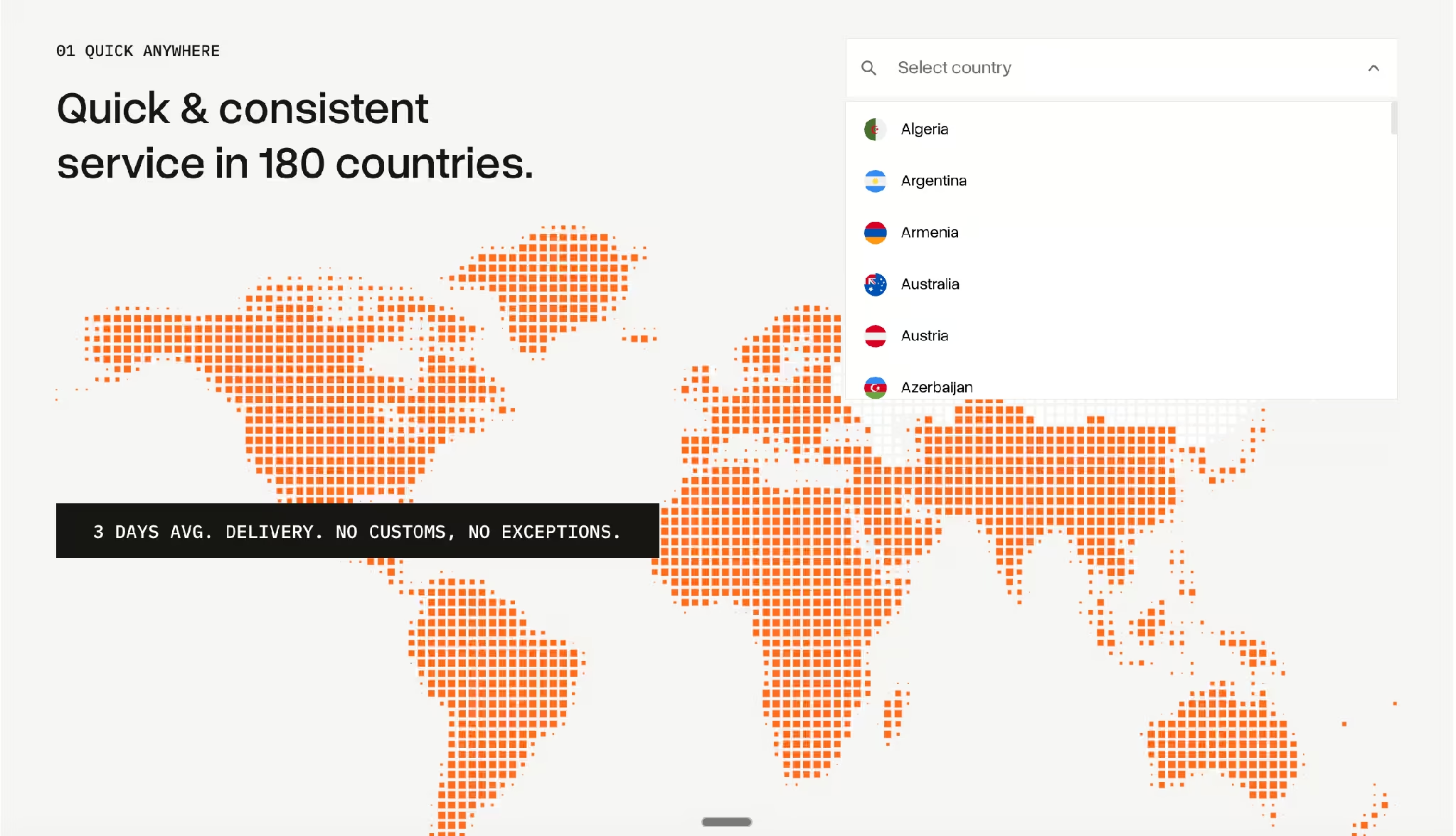
RemoFirst runs this across 30 countries. Its People Ops lead, Lera Lykholiet, describes the scope in the RemoFirst case study: "They assist us with laptop deliveries, repairs, MDM, and retrievals across 30 countries where our team members are located." The same page records nearly $2,000 per employee in potential losses protected by keeping the recovery loop closed.
Storage is the part teams forget to plan. Outside a single economic area, a device collected in one country usually has to stay there, so the question becomes whether a new hire there is likely within a few months.
Recovering equipment from a leaver runs on an escalation ladder of scheduled contacts rather than one hopeful reminder, and that page also marks where the legal line sits on charging an employee for a missing device.
Common IT Onboarding and Offboarding Mistakes
Six failures account for most of the damage, and every one comes from a step with no owner or no deadline.
Offboarding Starts on the Last Day
By the last day the employee may already have stopped replying. Their access list, the data decision and the courier booking are all notice-period work. Starting on the day itself compresses a week of coordination into an afternoon, and the hardware step slips.
The Account Is Closed and the Session Stays Open
Disabling an account does not end sessions that are already running. Mailboxes and chat clients hold the longest-lived tokens, so a leaver can keep reading messages for hours after IT has recorded the job as finished. One practitioner in the same 2023 discussion described session revocation as a standard part of their offboarding instructions. That is the fix: number it as a step.
Nobody Owns the Physical Device
Accounts have an obvious owner in IT. A laptop in a flat in another city has nobody, so it turns into a shared assumption that HR or the manager will handle it. Teams tell Tequipy that their offboarding process is "please mail it back and hope for the best", and the write-off gets booked months later.
Shared Credentials Are Never Rotated
Account disablement does nothing to a password the person memorised. Service accounts, shared inboxes, router logins and vendor portals all survive a departure untouched. A commenter in the 2023 thread described a decade of job changes without seeing it done: "I've changed jobs yearly for the past decade and none of those changed any generic or multi user passwords when someone in IT left or was terminated."
The Asset Register Is a Spreadsheet Nobody Updates
Without a current register, the first offboarding step becomes an investigation. The original poster in that thread said so plainly: knowing what a leaver can reach "is difficult as we don't have any sort of centralised system." IT teams describe the same gap to Tequipy in blunter terms: "We don't even know how many devices are unaccounted for."
Licences Keep Billing After the Person Leaves
Seats are easy to buy and easy to forget. A departure that removes access without releasing the seat leaves a paid licence attached to a disabled account, repeating monthly across every tool in the stack. A licence release with a five-day deadline in the post-departure table fixes it.
How to Automate IT Onboarding and Offboarding
Most of these steps automate on the software side. An identity provider can create and disable accounts from an HRIS event, and an MDM pushes configuration without anyone touching the machine. The physical layer stays manual: buying in the right country, delivering before day one, collecting afterwards, and deciding what happens next.
Tequipy connects that physical layer to the same trigger. It sources devices from 600 authorised local resellers across 180+ countries, enrols them in Apple Business Manager or Windows Autopilot before dispatch, and delivers in an average of three business days. Offboarding runs the other way: collection, a choice of wipe including a certified Blancco wipe or a certificate of destruction, then storage at $12 per device per month, redeployment, or sellback. The services work on devices bought anywhere.
The proof of the onboarding half is a delivery date. Booksy tracks 99% of equipment delivered before the employee's start date across 800+ assets, alongside 3,200+ hours saved in the Booksy case study.
Pricing is public: hardware at recommended retail price, offboarding at $70 to $150 per device, and a platform fee of $99 per month flat at any fleet size, free below 100 devices. Full rates sit on the pricing page. Moving a device from a leaver to a new hire costs two fees rather than one, because collection and redeployment are separate jobs under laptop lifecycle management.
Why Do You Need an IT Onboarding and Offboarding Checklist?
A checklist turns employee transitions into a standard process with named owners and dates. The point is not tidiness. It closes security gaps on a schedule, keeps equipment from disappearing, stops software spend drifting upward, and gets new hires working on day one.
Security Gaps Close on a Schedule
Standards bodies treat departure as a control with a clock attached. NIST SP 800-53 Revision 5 sets a defined time period for disabling accounts under AC-2(3) and names PS-4 for personnel termination. ISO/IEC 27001:2022 requires asset return under Annex A 5.11. A dated checklist is the artefact that evidences either control, and it is what an auditor asks to see.
Equipment Comes Back Instead of Being Written Off
Unreturned hardware is normal rather than exceptional. Capterra asked 287 HR employees about this in November 2022 and published the findings in January 2023, under the byline of analyst Brian Westfall. Of the 219 who had handled a departure during that year, 71% reported at least one leaver keeping a laptop or a phone.
Read that number carefully. It counts employers with at least one case, so it measures how widespread the problem is and says nothing about what share of hardware comes back. The same respondents put the value of what one such leaver walked off with at $1,963, which is an HR estimate of equipment worth rather than a measured asset value.
Software Spend Stops Drifting Upward
Every unreleased seat is a small recurring charge that nobody notices individually. Tie the licence audit to the offboarding record and the reconciliation happens on its own, because the trigger is a departure rather than a calendar reminder. Idle hardware behaves the same way, which is why IT asset lifecycle management treats storage as a dated decision with a cost attached.
New Hires Start Working on Day One
The onboarding half is judged by one question: did the person have a working, managed machine on their first morning. A checklist with a hardware deadline ten working days out is what makes that answerable in advance. Connecteam's IT team found this out in reverse when a missing enrolment checkbox was caught before shipping, a catch recorded in the Connecteam case study.
{{cta-primary}}
CONCLUSION
Final Checklist: Is Your IT Process Ready?
Four questions test the process you have now. Can you list, today, every system a named employee can reach. Do you know who books the courier when somebody in another country leaves. Does your register show the serial number and location of every device you own. Can you prove, with timestamps, when access was revoked for your last three leavers.
If any answer is no, write down what you actually do during the next departure. A commenter in the 2023 thread gave the best version of this advice when asked how to start: "If you don't already have a documented procedure for this, document all steps while doing this and write your procedure." Add owners and deadlines to that record and you have the checklist.
For the hardware half, the choice is whether to build a country-by-country network yourself or hand the physical steps to one provider. Test it on the hardest country you hire in. Talk to the team about a single order before committing to anything.
FAQ
What Should Be Included in an IT Onboarding Checklist?
Six categories: the device and accessories, the accounts, the access groups, the software licences, the security setup including multi-factor authentication and device enrolment, and the delivery logistics. Each item carries an owner and a deadline tied to the start date. Close it with an asset-register entry holding the serial number, condition and location.
When Should IT Start the Employee Offboarding Process?
On the day notice is given. The access inventory, the data decision and the courier booking all need the employee still responding, and collection in another country can take two to three weeks from first contact. Only the revocation itself belongs on the last day.
What Should IT Do When an Employee Leaves?
Five things, in order: disable the identity provider account, revoke active sessions and tokens, rotate shared and service-account credentials the person knew, transfer file and mailbox ownership, then recover the device. Record a timestamp for each. Finish by releasing the licence seats and updating the register.
How Do You Handle IT Onboarding for Remote Employees?
Buy the device inside the employee's country and enrol it before it ships, which keeps customs off the critical path and makes the handover hands-free. Tequipy does this through local resellers in 180+ countries, with configuration before dispatch and delivery in an average of three business days, priced on the device procurement page.
What Happens if a Former Employee Does Not Return Their Laptop?
Escalate on a schedule rather than improvising. A written reminder cadence over three to four weeks recovers most devices, and a booked courier with a prepaid label removes the usual excuse. Rules on withholding pay or charging for equipment differ by country and by contract, so take legal advice in the employee's jurisdiction before any deduction. Booking a courier in the employee's own country and wiping on receipt is what a laptop retrieval service handles.

Keep your current setup.
Just test us on one order.
AUTHOR
Before Tequipy, Tomek ran IT at Revolut, scaling from 100 employees in 2 offices to 5,000 across 17. He built the system that kept every laptop accounted for, then founded Tequipy – a platform that handles IT equipment logistics for distributed teams across 180+ countries.
As CEO, he runs operations and covers the founder layer: strategy, product, and the company-building that comes with both.
15 minutes. Your countries, your devices, your setup. No pitch.