
KEY TAKEAWAYS
- Zero-touch deployment allows companies to configure, secure, and deliver devices to employees without requiring hands-on setup by IT teams.
- The setup happens in your Mobile Device Management (MDM) platform before the laptop leaves the warehouse, using Apple Business Manager (ABM) for Macs and iPads, or Windows Autopilot for PCs
- Modern zero-touch deployment goes beyond device enrollment. The best programs automate the entire hardware lifecycle from procurement, provisioning, and delivery, to onboarding, retrieval, and redeployment
- Organizations using zero-touch provisioning platforms can reduce manual IT work, improve employee onboarding experiences, and strengthen security through standardized policies.
- For distributed teams, zero-touch deployment has become an operational necessity rather than a convenience, especially when employees are spread across multiple countries and time zones.
Your new hire starts on Monday. Their laptop arrives two days later, on Wednesday.
IT scrambles to ship a replacement, manually walk the employee through setup, and troubleshoot missing applications over Zoom. Productivity suffers before the employee has even attended their first team meeting.
Now, imagine that the device you order ships pre-enrolled in your MDM. The employee unboxes it, signs in with their work credentials, and the device installs every app and policy needed. If that sounds like a dream, zero-touch deployment makes it your reality.
This guide explains how zero-touch deployment works, why it matters, and how to implement it successfully.
{{cta-primary}}
What Is Zero-Touch Deployment?
Zero-touch deployment enables organizations to configure, secure, and deliver employee devices automatically, without requiring an IT technician to physically touch each laptop, phone, or tablet before it reaches the employee.
Instead of imaging laptops manually or installing applications one device at a time, IT teams use enrollment programs and Mobile Device Management (MDM) platforms to automate deployment.
The result?
Employees simply sign in using their company credentials, and the device configures itself.
How Zero-Touch Deployment Works
Zero-touch deployment connects your device vendor and MDM before the device reaches the employee. When the employee turns it on and signs in using their company credentials, all apps, settings, and security policies are automatically installed.
Here's the workflow, step by step.
Step 1: Procure Devices Strategically and Register with the Right Vendors
The process starts before a device is even switched on.
Organizations typically establish approved hardware catalogs and purchase devices through authorized vendors or logistics partners. The vendor sources the device and registers its serial number to your organization's MDM account.
For Apple, this means the serial gets added to your Apple Business Manager (ABM) tenant.
For Windows, the device gets registered as an Autopilot device through Microsoft Intune.
This eliminates the need for your IT department to receive, unpack, and prepare hardware manually.
Step 2: Deploy Applications and Security Policies via the MDM Configuration
Your IT team builds the deployment profile inside your MDM. This is where you define everything the device will do on first boot: which apps to install, which security policies to apply, what the WiFi configuration looks like, whether FileVault encryption is on by default, who can be a local admin.
Because the process is automated, security standards become consistent across your fleet.
And, why does this matter?
According to IBM's 2024 Cost of a Data Breach Report, the global average cost of a breach reached $4.88 million, representing the largest annual increase since the pandemic. Plus, nearly half the attacks (46%) involved leakage of customer PII (personally identifiable information) such as phone numbers, email IDs, and even residential addresses.
Standardized security practices help you reduce your employees,and your org, from unnecessary exposure.
Step 3: Pre-Configuration and Shipping
Before the device leaves the warehouse, the vendor verifies the MDM enrollment is correctly attached.
A missing MDM enrollment checkbox at the procurement stage means the device arrives, the employee powers it on, and nothing happens. The profile doesn’t download. The apps don’t install. You've shipped a generic laptop with no IT control.
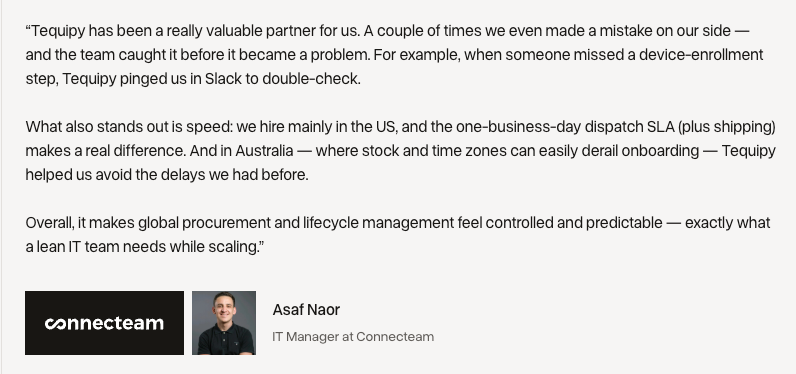
This is why the best zero-touch programs combine automation with accountability. Asset lifecycle management partners like Tequipy add a layer of human verification to catch these issues before they become Day One onboarding disasters.
Step 4: Employee Self-Setup
Instead of waiting for IT instructions, employees simply:
- Unbox the device
- Connect to the internet
- Sign in using company credentials
- Allow automated provisioning to complete
Within minutes, they have a fully configured workstation.
From their perspective, the process feels seamless. From IT's perspective, hundreds of hours of repetitive work disappear.
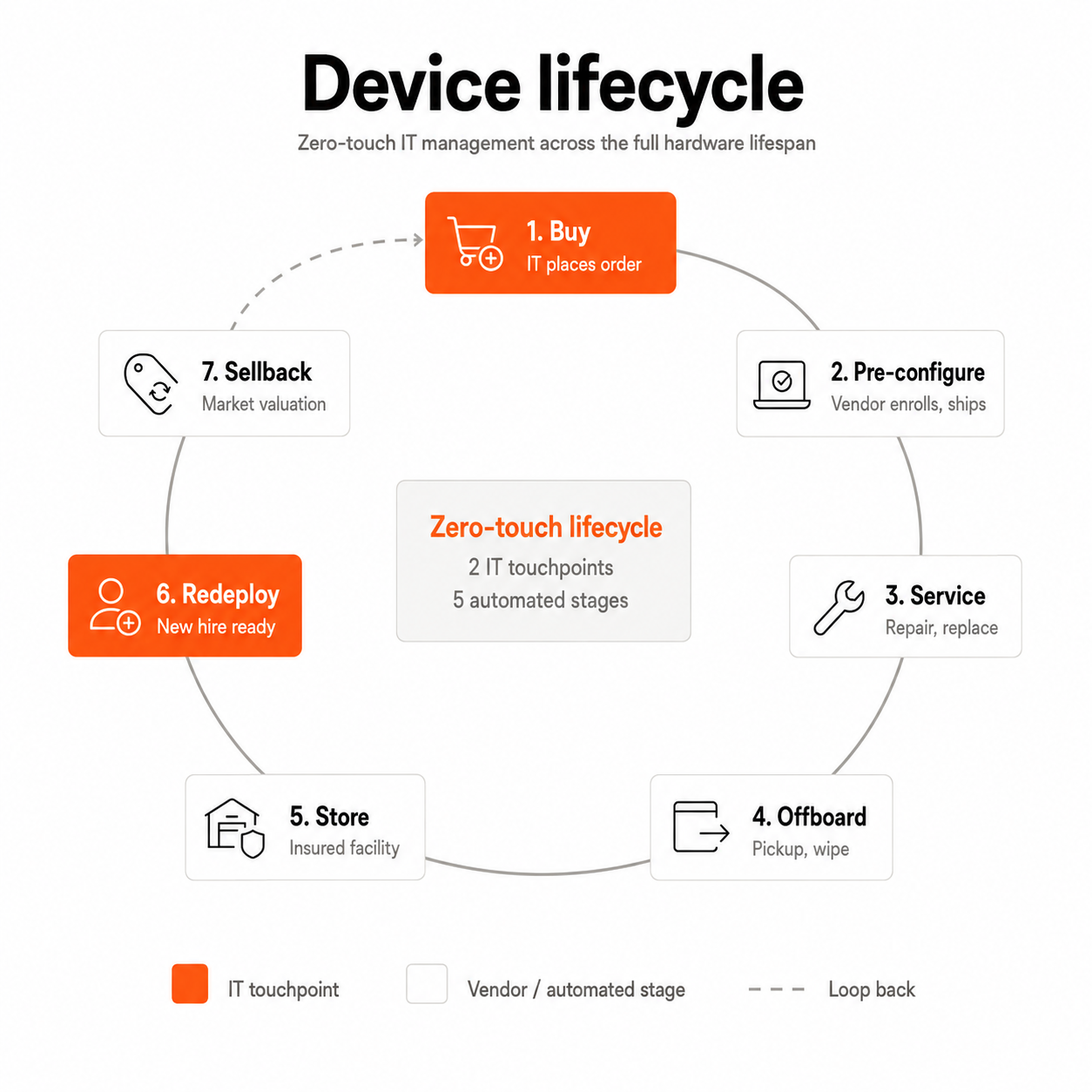
But in 2026, the best IT teams aren't just automating setup. They're handling the entire device lifecycle automatically: procurement, provisioning, shipping, onboarding, retrieval, and redeployment.
Benefits of Zero-Touch Deployment
The benefits of zero-touch deployment compound the more distributed your team gets. For a 10-person office, it's a convenience. For a 200-person company hiring across 15 countries, it's the only way the math works.
Faster Employee Onboarding
Few experiences shape an employee's perception of a company more than their first week. Late access to devices, missing applications, and manual troubleshooting not only prevent new hires from being productive on day one but also damage their first impression of your org.
Automated provisioning fixes this in two ways:
- First, removing manual setup compresses the IT side of onboarding from hours to minutes
- Second, when you pair zero-touch deployment with local sourcing, providing laptops to employees becomes faster and more predictable, with devices arriving before day one instead of three weeks after.
That means employees spend their first day contributing rather than waiting.
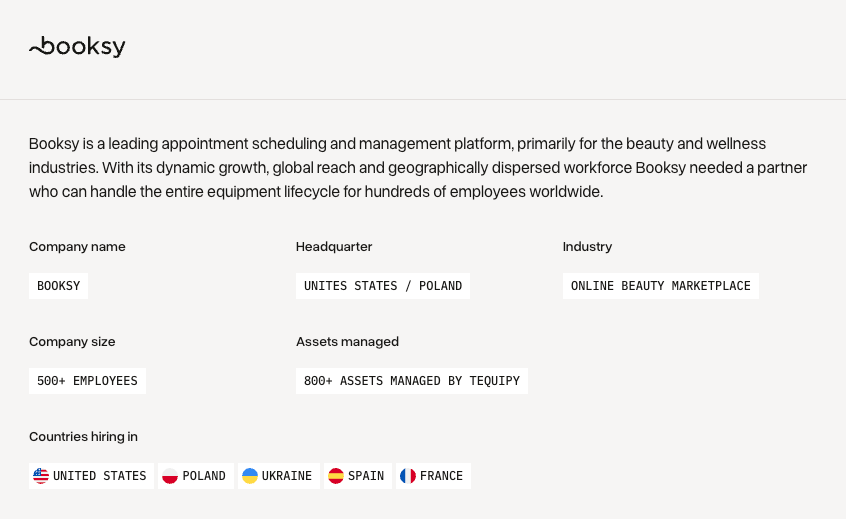
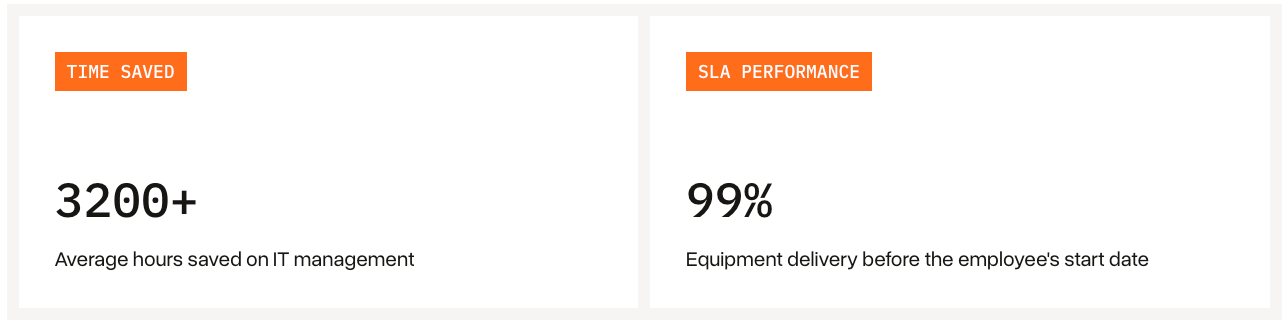
By combining zero-touch deployment with Tequipy's network of local sourcing partners, Booksy eliminated cross-border delays and scaled the model across the US, Poland, Ukraine, Spain, and France. Today, 99% of employees receive their devices before their first day of work, while IT has saved 3200+ hours on device management.
Reduced IT Workload
Traditional deployment doesn't scale.
Every new hire requires:
- Imaging
- Packaging
- Application installation
- Security checks
- Shipping coordination
- Setup assistance
Multiply that across hundreds of employees and the operational burden becomes enormous.
By standardizing configurations and automating repetitive tasks, IT teams reclaim time for higher-value work.
By handling device operations end-to-end, Tequipy enabled Gigs to reclaim 100+ hours of IT time each month and reduce costs by $16,000.

Stronger Security and Compliance
With zero-touch deployment, security teams can ensure devices ship with:
- Disk encryption enabled
- Password requirements enforced
- VPN configurations deployed
- Endpoint detection tools installed
- Compliance checks activated
Unlike manual processes, here consistency becomes the default rather than the exception.
For what it's worth, Tequipy is ISO 27001 certified, GDPR compliant, and pre-enrolls devices with a full chain of custody from the local reseller to the employee's door.
Zero-Touch Deployment vs Traditional Deployment
While both approaches ultimately deliver working devices, the operational differences are huge.
The more distributed your organization becomes, the wider you’ll see this gap grow. That's why for hybrid and remote-first teams, zero-touch deployment becomes the only sustainable way to scale.
{{cta-primary}}
How to Implement Zero-Touch Deployment: A Step-by-Step Framework
Knowing what zero-touch deployment is and understanding how it works are two different things. Successful implementations require more than purchasing an MDM license. To do this well, you’ll need to treat it as an operational transformation project.
Step 1: Audit Your Current Deployment Process
Before introducing new tools, document how devices currently move through your organization.
Ask questions such as:
- How long does onboarding take today?
- Who prepares devices?
- How often are shipments delayed?
- Which setup steps are still manual?
- How many support tickets occur during onboarding?
This exercise often reveals surprising inefficiencies.
For example, many organizations discover that shipping coordination, not technical setup, is their biggest source of delays.
Step 2: Choose the Right MDM Platform
Your MDM platform becomes the foundation of your zero-touch deployment process.
Different ecosystems have different strengths.
Pick based on your fleet composition first, integrations second (your identity provider and HRIS), and pricing third. The MDM market is mature enough that the differences are marginal, but switching later is painful.
Once your MDM is in place, you need to link the enrollment programs from each device vendor. Apple Business Manager handles Apple zero touch deployment. Windows Autopilot handles PCs through Intune. Both are free to use, but require some setup time to configure tenants, define deployment profiles, and assign roles.
Step 3: Standardize Configurations
Automation breaks when exceptions multiply.
Instead of creating unique setups for every employee, establish role-based templates.
Examples include:
Engineering
- IDEs
- Security tooling
- VPN access
Finance
- Accounting software
- Restricted permissions
- Enhanced compliance controls
Customer Support
- Communication tools
- CRM access
- Browser configurations
Standardization simplifies support while improving consistency.
Step 4: Automate Procurement and Logistics
You can configure ABM and Autopilot perfectly, but if your only sourcing option requires six weeks to clear customs, it still creates problems. Problems you can avoid by having local procurement partners in the countries you operate in.
Local procurement partners make logistics much smoother when you realize that devices have to be Apple Authorized Reseller stock (for ABM enrollment), keyboard layouts have to match the country, power adapters have to fit local outlets, and warranty has to apply locally. A laptop bought in the US and shipped to Vietnam usually fails on at least two of these.
In addition to having local sourcing, global organizations increasingly automate:
- Device ordering
- Inventory tracking
- Shipping workflows
- Customs documentation
- Retrieval coordination
By extending automation beyond configuration, you can eliminate administrative bottlenecks.
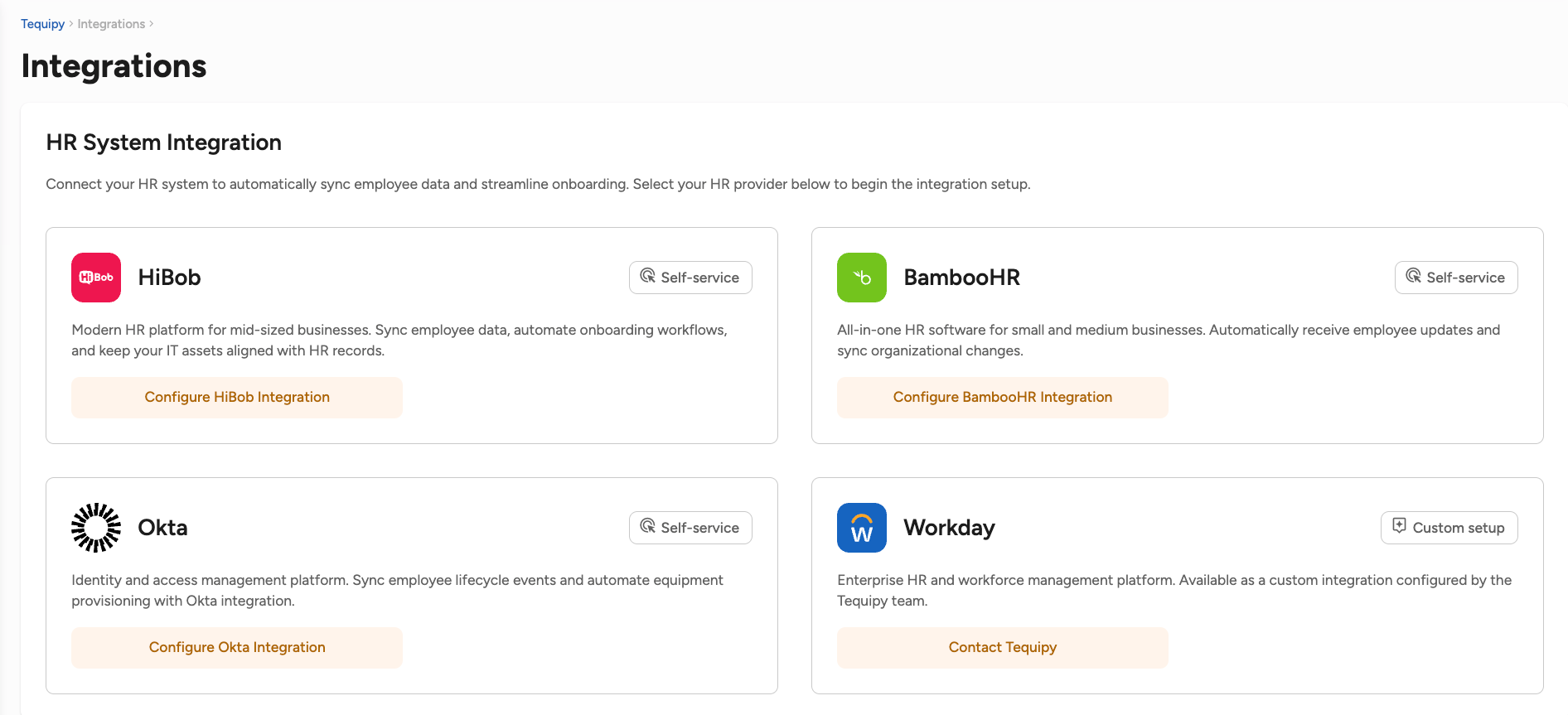
Step 5: Integrate with Your HRIS
If this still sounds like a lot of work, integrating your asset manager with your HR system can help you run zero-touch deployment almost on autopilot.
- New hire added in HiBob or BambooHR? Order gets placed automatically
- Start date confirmed? Device ships
- Employee terminated? Retrieval and data wipe triggered
A modern device lifecycle management platform such as Tequipy integrates with HiBob, BambooHR, Workday, and others.
Step 6: Build a Recovery Loop for Offboarding
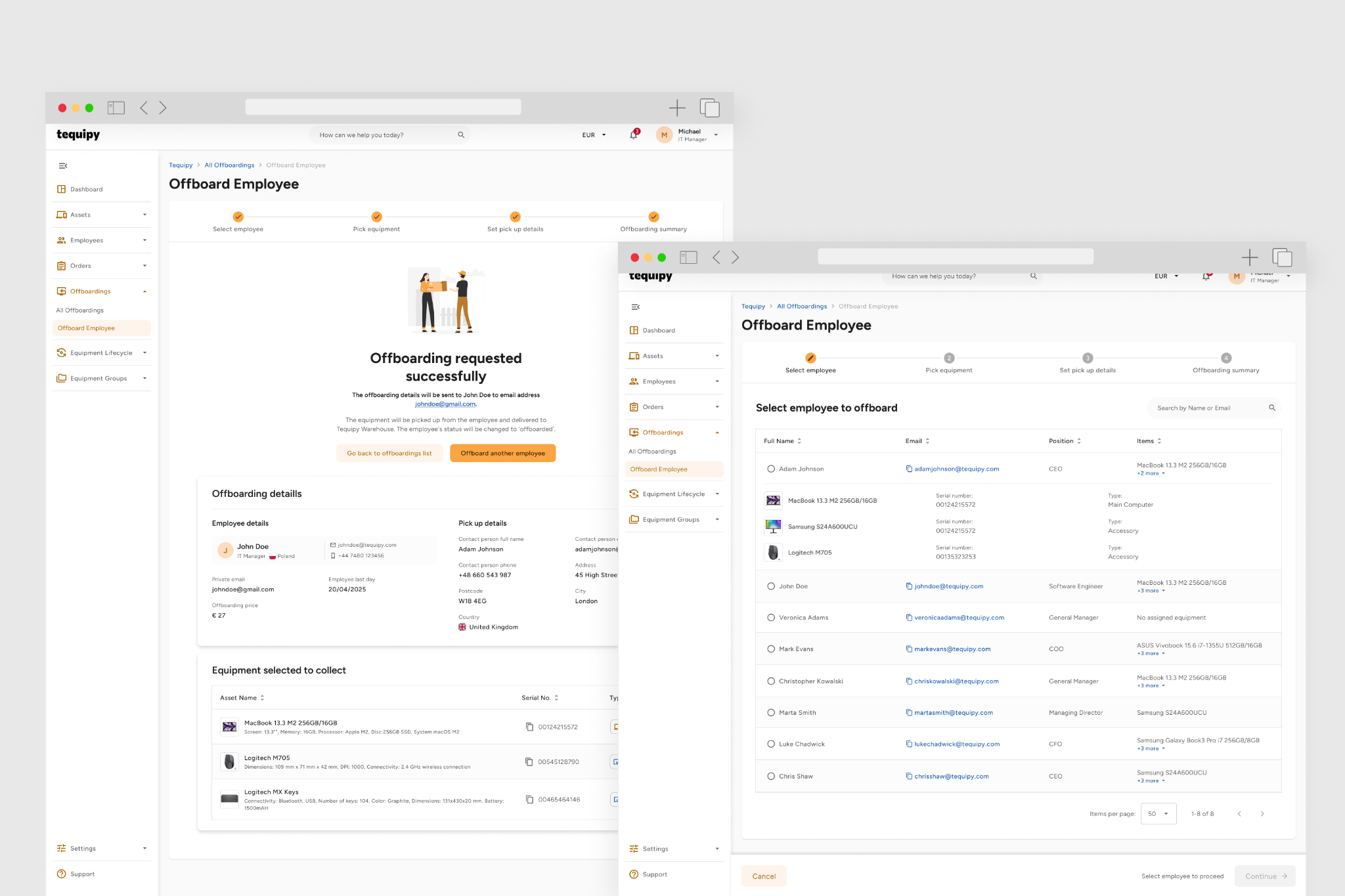
Don’t forget to plan for getting devices back when employees leave. Without a retrieval process in place, the asset is never returned to you. You’re forced to buy replacements while exposing sensitive data on hardware that's no longer under your control.
So, how do you build a device recovery loop? Here’s a quick guide:
- Trigger retrieval early: Start the process as soon as HR confirms an employee's exit
- Make returns easy: Offer prepaid shipping labels or local pickup services
- Track every asset: Maintain visibility until the device is back in your possession
- Protect company data: Remotely lock or wipe devices that aren't returned promptly
- Redeploy recovered devices: Refurbish, re-enroll, and assign them to the next employee
Instead of relying on spreadsheets, ad hoc reminders, and local courier searches, Tequipy handles the entire recovery process for you, from coordinating pickups and tracking returns to securely wiping, refurbishing, and preparing devices for their next employee.
Step 7: Measure, Improve, Repeat
Zero-touch deployment doesn’t end with getting devices out the door. It's about managing them from onboarding to offboarding.
Monitor these metrics will help you see if the program is working as expected:
- Average deployment time
- Day One readiness rates
- Setup-related support tickets
- Device recovery rates
- Redeployment timelines
Continuous improvement ensures the process scales alongside your company.
Key Technologies That Enable Zero-Touch Deployment
These technologies work together to create a seamless experience.
1. Mobile Device Management (MDM)
Think of your MDM as mission control. It's what turns a brand-new laptop into a work-ready device by pushing apps, security settings, and policies automatically.
Without it, IT teams are back to setting up devices one by one.
2. Enrollment Programs
This is the invisible handshake between your device vendor and your company.
Services like Apple Automated Device Enrollment, Windows Autopilot, and Android Zero-Touch Enrollment make sure a laptop knows it belongs to your organization before an employee even opens the box.
3. Identity and Access Management (IAM)
New hires shouldn't spend their first day asking, "Can someone give me access to this?"
IAM tools like Microsoft Entra ID, Okta, and Google Workspace ensure employees sign in once and instantly get access to the tools they need to do their jobs.
4. Endpoint Security Tools
Security agents protect devices after deployment.
These solutions may include:
- Endpoint detection and response (EDR)
- Antivirus tools
- DNS filtering
- Device compliance monitoring
5. Device Lifecycle Platforms
Getting devices out the door is only half the job. Someone still needs to order them, track shipments, recover them when employees leave, and prepare them for the next hire. That's why many IT teams now use lifecycle platforms like Tequipy, to manage everything that happens before and after deployment, not just the setup itself.
CONCLUSION
Automate Device Deployment at Scale with Tequipy
The technology behind zero-touch deployment isn't the hard part anymore. Tools like Apple Business Manager, Windows Autopilot, Jamf, and Intune are mature and accessible for most teams.
What trips teams up is everything around them. The laptop that gets stuck in customs. The shipment that arrives after an employee's first day. The new hire in a country your usual reseller doesn't support.
That's the gap Tequipy was built to fill.
We help global teams source devices locally in 180+ countries, pre-enroll them into your Apple Business Manager or Windows Autopilot environment before they ship, and get them into employees' hands in an average of three days. No long-term contracts. No minimum commitments.
Ready to simplify global device operations?
Explore the platform or book a 15-minute demo to get started.
FAQ
Does zero-touch deployment require MDM software?
Yes. In most cases, MDM software is essential because it delivers configurations, applications, and security policies automatically.
Can zero-touch deployment work for remote employees?
Absolutely. Remote onboarding is one of its biggest advantages because devices can be shipped directly to employees and configured over the internet.
What tools support zero-touch deployment?
The main tools are Apple Business Manager (Apple), Windows Autopilot (PCs), and Android Zero-Touch Enrollment (Android phones and tablets). These connect to your MDM platform (Jamf, Intune, Kandji, and others) which holds your configuration profiles and security policies.
How long does zero-touch deployment take to set up?
A few weeks for the first time, much less after that. Setting up Apple Business Manager and Windows Autopilot tenants, configuring your MDM, defining deployment profiles, and integrating with your HRIS typically takes two to four weeks. Once in place, each new device can ship within days.
Keep your current setup.
Just test us on one order.
AUTHOR
Before Tequipy, Tomek ran IT at Revolut, scaling from 100 employees in 2 offices to 5,000 across 17. He built the system that kept every laptop accounted for, then founded Tequipy – a platform that handles IT equipment logistics for distributed teams across 180+ countries.
As CEO, he runs operations and covers the founder layer: strategy, product, and the company-building that comes with both.
15 minutes. Your countries, your devices, your setup. No pitch.