KEY TAKEAWAYS
- A hardware refresh cycle is the schedule a company sets for replacing each class of IT equipment. Federal purchasing guidance puts laptops at 3 years for travelling staff and 4 or more for docked machines, per the GSA and NASA workstation review.
- Servers and network gear run longer. Microsoft raised the useful life of both from four years to six for fiscal 2023, and the IRS Internal Revenue Manual puts IT equipment including servers at 5 years.
- Failure rates are a weak reason to replace anything. The same federal review measured annualised failure on desktop hardware still in the mid single digits at four years.
- The dates that force a refresh are operating system end of support, the manufacturer's parts cutoff and warranty expiry. Windows 10 support ended on 14 October 2025.
A hardware refresh cycle is the planned schedule a company uses to replace IT equipment at a set age. The short answer for most fleets: laptops every 3 to 4 years, desktops and tablets around 3, servers and network equipment 5 to 6, thin clients 6 to 8.
Every one of those numbers has a named source in the table below, and none is averaged across vendors. The harder question is what should override the calendar, because the one government study that actually measured device reliability found that hardware failure is rarely why a machine gets replaced.
What Is a Hardware Refresh Cycle?
A hardware refresh cycle is a repeating schedule for replacing company IT equipment at a set age, set separately for each device class. It turns an unpredictable stream of one-off purchases into a forecastable budget line and a known upgrade date for every machine on the books.
Three layers sit under the phrase, and confusing them is where refresh programmes stall. The strategy is what you are optimising for: annual cost, employee productivity, security posture or carbon. The plan is the dated, costed schedule of which devices move in which quarter. The policy is the written rule stating who gets what, how long they keep it, and what happens to the machine they hand back.
Buying, configuring, servicing and disposal are the other processes in laptop lifecycle management, and the refresh cycle is the clock the rest of them run on. Keep purchase dates and serial numbers in whatever register already holds the fleet. That record carries more weight the further the fleet spreads, because remote asset management has no storeroom to fall back on.
How Often Should You Replace Each Device?
Each interval below traces to one named authority. Where two authorities cover the same class and disagree, both rows appear rather than a blended range.
Two rows need reading carefully. The 7-year figure covers carrier broadband gear, so it is the wrong number to quote for the switches in your office; the closest office equivalent in the table is the 6 years Microsoft applies to its own network equipment. And the NTIA schedule sets how long a federally funded asset stays under a property trust relationship, which makes its 3-year laptop entry an accounting convention rather than a replacement recommendation.
The ranges are also moving. Microsoft reassessed its own fleet in July 2022 and raised the estimated useful life of both server and network equipment from four years to six, effective from fiscal 2023. Its FY2022 annual report and the matching Form 10-K put the effect at $3.7 billion of fiscal 2023 operating income, with software efficiencies in its own datacentres given as the reason. Read that as evidence that the number is negotiable rather than as a norm for a 100-person company.
Three events override whatever interval you pick: the operating system reaching end of support, the manufacturer stopping parts supply, and the warranty running out. Each one has a published date you can look up, which beats an age every time.
Time Based vs Performance Based Refresh
Federal guidance splits the difference by usage rather than by device class. The GSA and NASA category team recorded a "Lifecycle of 3 years for traveling workers vs. 4+ years for day extender notebooks that stay in docking station nearly full-time" in its workstation trends review, and set high-performance devices at two years in the same passage. How the machine is used moves the number more than either method does on its own.
The trade-off is worth stating plainly. A calendar is cheap to administer and will retire working hardware. A data-driven cycle stops that waste and demands per-device telemetry that most fleets do not collect today. Teams that get this right usually run a calendar band per role, plus an early-replacement route any manager can open with evidence attached.
How to Build a Hardware Refresh Plan
Step 1: Inventory Every Device With a Date Attached
A device nobody can name cannot be scheduled. Build one row per machine holding serial number, model, purchase date, warranty end date, assigned employee and country. Country matters more than most registers allow for, because it decides lead time, price and who can physically collect the old unit.
Pull the list from your MDM, your purchase orders and your finance system, then reconcile the three. Gaps between them are your first finding. IT procurement software that records the order alongside the asset removes the reconciliation step for everything bought from that point on.
Step 2: Attach the Three Hard Dates to Every Model
For each model in the fleet, write down the operating system end-of-support date, the manufacturer's parts cutoff and the warranty end date. Apple publishes its cutoff in a form you can calculate: products are vintage "when Apple stopped distributing them for sale more than 5 and less than 7 years ago" and obsolete after 7, per its service and parts policy.
Pro tip: build the policy from dates you can look up rather than from a three-year habit. Open a sheet with one row per model and fill four columns: the operating system's published end-of-support date, the date the manufacturer stopped selling that model, that date plus five years (Apple's minimum parts window, or the written equivalent from your vendor), and the warranty end date on your own purchase order.
The earliest date in each row is that model's real deadline. Sort by that column and the refresh schedule writes itself, with anything already past its earliest date sitting at the top of next year's budget.
Step 3: Write the Policy in Bands, Not a Single Number
One company-wide interval guarantees you replace some machines too early and hold others too long. Set a band per role using the federal evidence as a starting point: two years for high-performance workstations, three for staff who travel with their laptop, four or more for docked machines, six to eight for thin clients.
Write down who approves an exception and what evidence they need. The policy should also say what a leaver's device does next, which is the half of providing laptops to employees that most handbooks skip entirely.
Step 4: Cost the Plan and Stage the Rollout
Group the schedule by quarter and by country, then price each group. Ordering 40 replacements in one country is a different job from ordering 40 across twelve, and lead times diverge sharply once a model has to cross a border. Ask your supplier for the delivered price in each destination country on your standard configuration, not a headline price from one market.
Stage the rollout so no single week carries more handovers than your team can complete. Keeping the schedule realistic is the main thing IT procurement best practices get you, and a slipped refresh week tends to slip again.
Step 5: Run the Handover, Then Measure the Cycle
The purchase is the easy part. A finished handover means the replacement arrives configured, the employee's data moves across, the old device leaves their desk, and its disposal route is recorded. Enrolling the new machine before it ships is what zero touch deployment buys you, and it takes the setup call out of the busiest week of the cycle.
Decide the old device's fate in the same moment: back into stock for the next hire, or out through IT asset disposition with a wipe certificate attached. Leaving that call for later is how machines end up in drawers.
Then review the cycle once a year against three numbers: replacements completed in their scheduled quarter, unplanned swaps, and the recovery rate on outgoing devices. Rising unplanned swaps in one model line say shorten that band. A quiet year says lengthen it.
What Delaying a Refresh Costs
Start with what the evidence does not support. The one federal review that measured device reliability states, on page 9 of its November 2021 assessment: "Reliability is seldom the driver for replacement of desktop hardware, and at the end of four years, the annualized failure rate (AFR) is still in the mid-single digits." The same passage records that organisations extend the life of their PCs with little operational impact. Claims about energy use, ticket volume and repair cost rising with device age have no published study behind them either.
Operating system end of support is the deadline that bites. Windows 10 support ended on 14 October 2025, and Microsoft's end-of-support notice says that after that date computers running it "will still function, but Microsoft will no longer provide the following: Technical support of any issue; Software updates; Security updates or fixes". Statcounter's worldwide sample of desktop Windows traffic still recorded Windows 10 at 30.14% in August 2026, which measures web traffic rather than counting devices, and is the only published measurement available.
Parts availability sets the second deadline. Once a model is obsolete, Apple's policy is explicit: "Apple discontinues all hardware service for obsolete products, and service providers cannot order parts for obsolete products." Mac laptops keep a battery-only repair window of up to 10 years, so a machine can stay serviceable for its battery and be unserviceable for everything else.
Warranty expiry is the third. Federal end-user device contracts sell optional extensions to four and five years, which indicates what the market is willing to underwrite rather than what a typical warranty covers. After it lapses, every repair becomes an unbudgeted quote.
Refreshing too early wastes money just as reliably. The same federal review notes that government and education hold notebooks much longer than industry because of budget constraints, and that the practice costs them against their business objectives. A deliberate date beats both the newest hardware and the oldest.
The last item on the ledger is what the outgoing machine is still worth. A four-year-old laptop that boots has real residual value through redeployment or resale, and a device buyback that ends in a certified wipe and a cash payment offsets part of the replacement bill. Machines left in a cupboard lose that value quietly.
Refresh Cycles for Distributed Teams
Every timeline above assumes the device sits somewhere you can reach. Across 20 countries the refresh stops being a purchasing exercise and becomes a logistics one, because four things have to happen in the same week in each country: the replacement arrives, the data moves, the old machine leaves the employee's home, and the data on it is provably destroyed.
The failure points are predictable. Shipping replacements from headquarters puts customs in the outbound leg and again on any return, so shipping a laptop internationally means two clearances inside one handover. Collection from a home address abroad needs a courier booking, packaging and a leaver who answers email. And a device collected in one country rarely has a local hire waiting for it, so it goes into storage or it gets sold.
A single-country team meets the same week the first time it hires abroad, with no reseller account, no local entity and nobody to hand a laptop to.
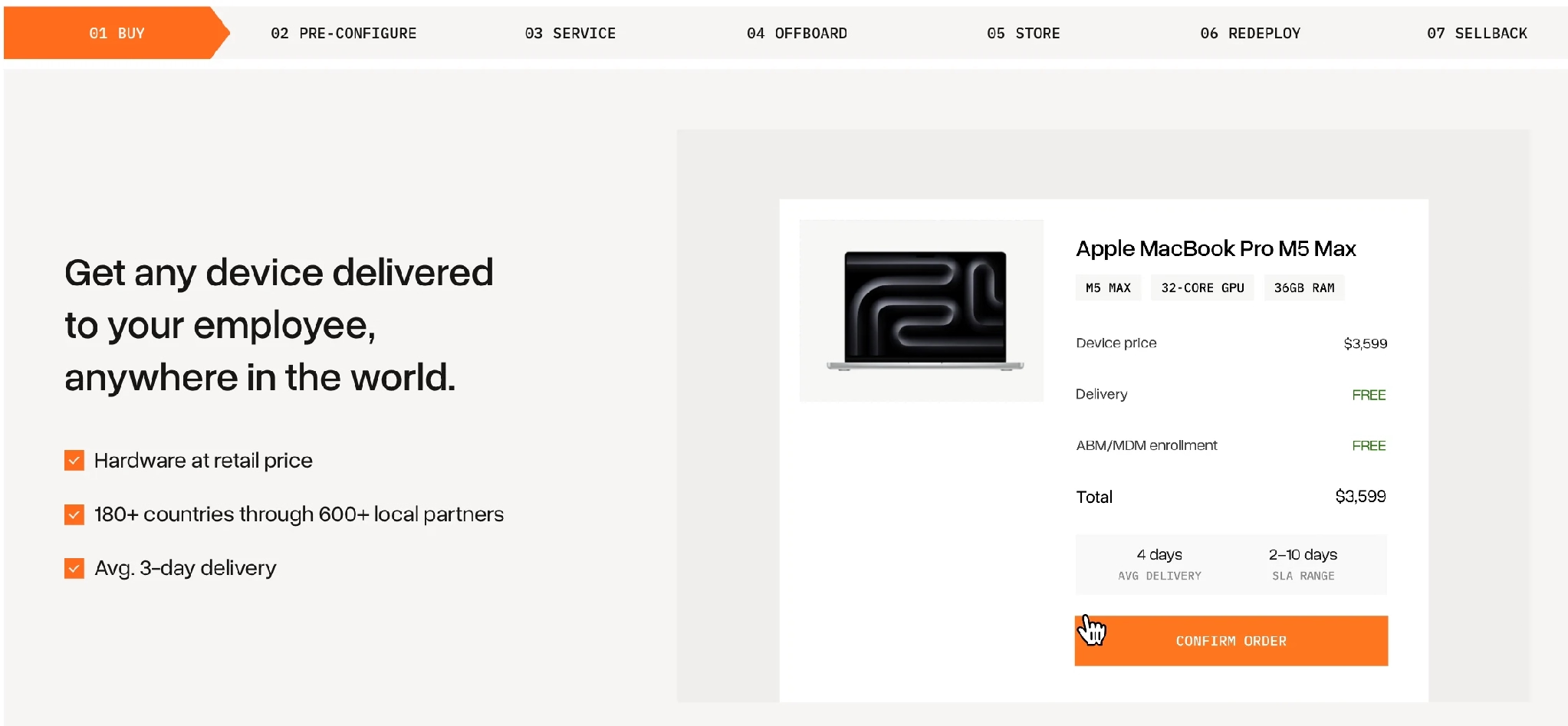
Tequipy runs those steps as separate priced services on one platform. Replacements are sourced from one of 600+ authorised resellers inside the employee's own country across 180+ countries, at recommended retail price with delivery included, so no refresh order crosses a border. Delivery averages 3 business days with a 10 business day cap.
Enrolment happens before the box ships, through Apple Business Manager for Mac and Windows Autopilot for PCs, so a replacement laptop reports to your existing MDM the first time the employee powers it on. Tequipy is not an MDM and does not replace one.
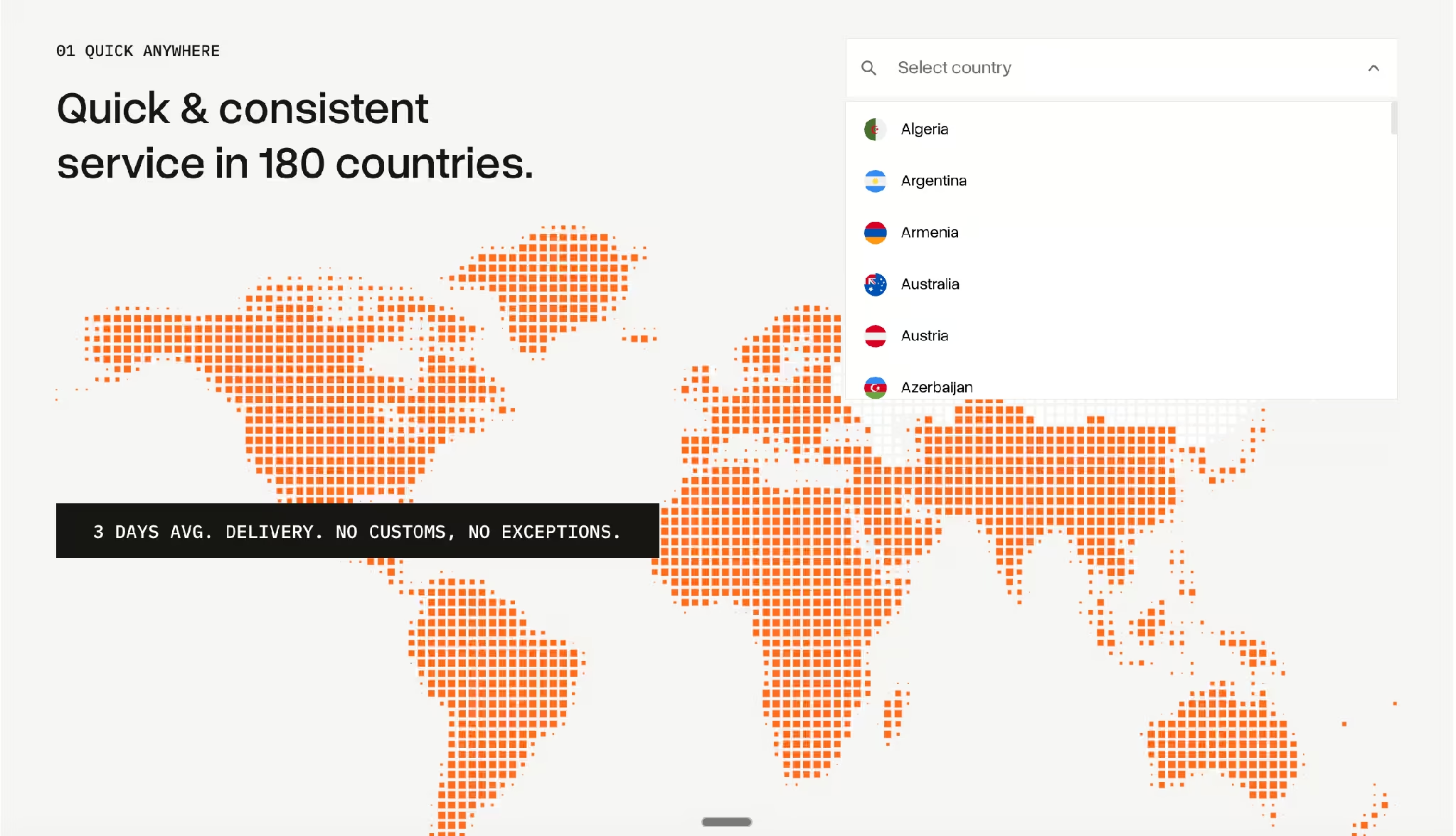
Every rate above is published on the Tequipy pricing page, which carries a calculator you can run against your own fleet.
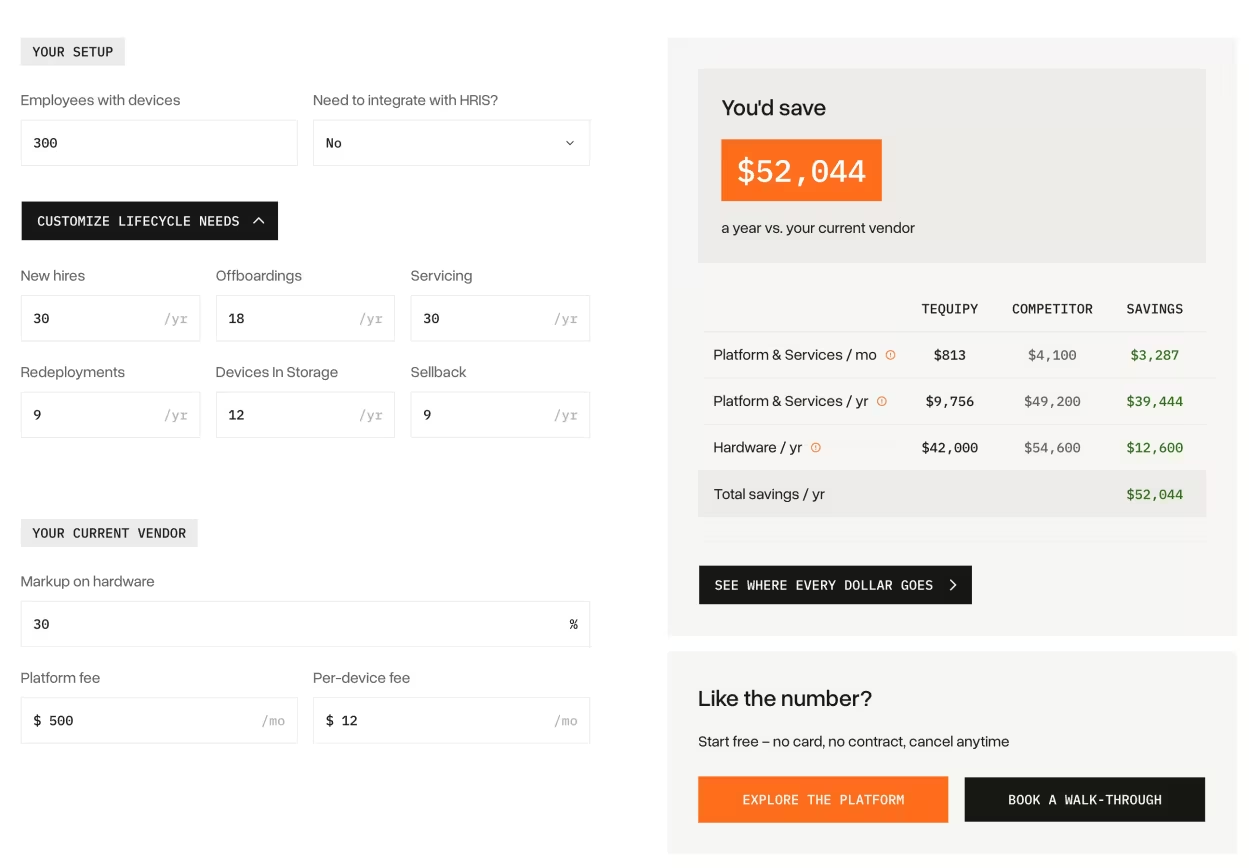
Those rates are what make the second life of a refreshed device worth planning. Collecting a machine, holding it three months and issuing it to the next hire costs about $180 to $240, against $1,500 to $2,500 for a new laptop. The arithmetic repeats every time a refresh and a new hire land in the same country.
Published customer results carry the collection side. Across 30 countries, RemoFirst recovered 100% of devices, protecting nearly $2,000 per employee and saving $3,500 a month. Gigs handed over 100+ hours of monthly logistics work instead of hiring someone to run it, and 99% of Booksy's 800+ assets landed before the employee's first day. All three are Tequipy's own tracked figures for those accounts.
Data disposal is where a refresh meets an auditor. Four wipe routes exist at collection: a basic wipe, a Blancco certified wipe, physical destruction with a certificate, and a legal hold that leaves the disk untouched for an investigation. Each device travels under a chain of custody that starts with the sender's signature and ends at the receiving facility.
ISO 27001 is held and hosting sits in Europe under GDPR. The SOC 2 audit has not finished, so confirm its current status if a report gates your purchase.
Two limits belong on any shortlist. Only new devices are sold, so a refresh cannot be filled with refurbished stock. Devices move across borders inside the European Economic Area alone. A machine collected anywhere else waits in storage, goes to a new hire, or is sold, all inside the country it came from. Hardware is bought outright at retail price and is never leased, financed or rented; the $5,000 credit line with 7 days to pay is payment timing on a purchase.
{{cta-primary}}
CONCLUSION
Run Every Refresh Cycle Through Tequipy
A hardware refresh cycle is decided by four dates per model and one honest look at how each machine is used. Pull the three hard dates for your five most common models this week, sort by the earliest one, and you will have a defensible schedule before you have had a single vendor conversation.
Then decide what happens to the outgoing devices, because that is the half of the cycle that pays for part of the next one. Where the machines sit in countries nobody on your team can drive to, the Tequipy team can run the collection, the replacement and the resale in each of them.
FAQ
What Is Hardware Refresh?
Hardware refresh is replacing working IT equipment on a planned schedule rather than waiting for it to fail. It usually covers laptops, desktops, monitors, phones, servers and network gear, with a different interval set for each class.
What Is the Hardware Life Cycle?
The hardware life cycle is everything that happens to one device from purchase to disposal: buying, configuring, deploying, servicing, collecting, storing, reusing and finally reselling or recycling it. A refresh cycle is the timing rule that decides when the last stages start.
What Is the Typical Life Cycle of a PC?
Three to four years for most staff. The GSA and NASA category team puts travelling workers at 3 years and docked notebooks at 4 or more, while the NTIA schedule assigns laptops, desktops and monitors a 3-year useful life.
What Does the Windows 10 End of Support Mean for My Refresh Cycle?
It sets a hard date that overrides your calendar. Microsoft's Windows 10 lifecycle page confirms support ended on 14 October 2025, so any remaining Windows 10 machine receives no security updates and should be at the front of the schedule.
How Do You Run a Refresh Cycle for Employees in Different Countries?
Source the replacement locally and collect the old device at the employee's door. Tequipy buys inside each of 180+ countries at retail price, collects the outgoing machine, then stores, redeploys or sells it in that same country.
Keep your current setup.
Just test us on one order.
AUTHOR
Before Tequipy, Tomek ran IT at Revolut, scaling from 100 employees in 2 offices to 5,000 across 17. He built the system that kept every laptop accounted for, then founded Tequipy – a platform that handles IT equipment logistics for distributed teams across 180+ countries.
As CEO, he runs operations and covers the founder layer: strategy, product, and the company-building that comes with both.
15 minutes. Your countries, your devices, your setup. No pitch.

.avif)