
KEY TAKEAWAYS
- To stay free and open source: GLPI is the closest swap. It adds its own inventory agent, network discovery, a CMDB (a record of which systems depend on which) and a helpdesk, and you still host and upgrade it yourself.
- To stop running a server: Reftab is hosted, with labels, scanning and reservations, free for 50 assets and $125 a month for its Hardware Asset Management plan.
- To find devices automatically: Lansweeper scans your network from an installation you run; Starter is from $299 a month, billed annually, as of November 2026. InvGate Asset Management adds a CMDB from $1,499 a year for up to 500 IP devices, though CMDB mapping sits in its Pro plan.
- Pick Tequipy if your team is spread across countries: it suits globally distributed teams with laptops in three countries, fifteen, or more. Every laptop gets a register page (its holder and specs, an estimated value, a dated history, its files and any repairs). The laptops come from local hardware partners in 180+ countries; a courier returns them from leavers, and Tequipy's team wipes and stores them.
Snipe-IT costs nothing to download. Someone on your team still hosts it, upgrades it and keeps every record current. The software itself rates well: 4.6 out of 5 from 27 reviews on G2 as of November 2026. On Capterra, though, Customer Service scores 3.7, its weakest sub-score.
When people look for snipe it alternatives, Snipe-IT's reviews and comments point to two reasons: running the server, about 5 of them, and records that go stale because every change is typed in, about 10. You may also want devices found automatically, or someone to buy, ship and collect the laptops. Below, each reason points to the tool that answers it. Prices were read in November 2026, and every tool gets a plain note on who should skip it.
7 Best Snipe-IT Alternatives Compared at a Glance
All seven tools keep a record of your devices. They differ on who hosts them, how devices get into the record, and whether the vendor ever delivers or collects a laptop.
| Name | Best for | Stand out feature | Price starting point | Ratings |
|---|---|---|---|---|
| GLPI | Staying free and open source | Own agent, network discovery, CMDB and helpdesk | Free self-hosted; cloud €19 per IT agent a month, excl. VAT | 4.5 from 42 on G2 |
| Tequipy | A simple laptop register, with laptops bought, shipped and collected in 180+ countries | A page per laptop (holder, dated history, files, repairs); manual entry, CSV import or REST API; no discovery or CMDB. When Tequipy delivers, collects or stores a laptop, its page shows the change | Platform $99 a month flat for 100 devices or more (unlimited devices), free under 100; services per use | 4.9 from 4 on G2 |
| Reftab | Check-in and check-out without self-hosting | Labels, scanning and reservations, hosted | Free to 50 assets; $125 a month, unlimited users | 4.7 from 139 on Capterra |
| Lansweeper | Automated network discovery | Agentless scanning of the network | Free to 100 assets; Starter from $299 a month, billed annually, 2,000 assets | 4.4 from 70 on G2 |
| InvGate Asset Management | Discovery and a CMDB at a published price | Agentless scans plus agents for four operating systems | $1,499 a year, up to 500 IP devices | 4.7 from 11 on G2 |
| AssetTiger | Cheap hosted labels and scanning | Barcode check-in and check-out from a phone | $20 a month or $220 a year for 500 assets | 4.6 from 272 on Capterra |
| Asset Panda | Tracking non-IT assets | One configurable database for any asset type | Quote only; its blog states $3,000 a year for Starter | 4.6 from 1,369 on Capterra |
Last checked: GLPI 4 November 2026; Lansweeper prices 17 November 2026; all other vendor prices and ratings 2 November 2026; Tequipy November 2026.
1. GLPI: Best for Staying Free and Open Source

The current major release, GLPI 12, shipped on 7 October 2026, and every version remains free under the GPL-3.0 licence. It is the closest like-for-like swap for a Snipe-IT team that wants to stay open source. Teclib, a French company, publishes it and sells hosting and support as GLPI Network.
The difference is scope. Snipe-IT tracks assets; GLPI is a helpdesk and an asset inventory in one tool, with its own agent that reports devices by itself.
Key Features
Asset Inventory With Its Own Agent and Network Discovery
The GLPI Agent, installed on each device, reports its hardware and installed software to the GLPI server. The free GLPI Inventory plugin adds SNMP network discovery (scanning printers, switches and other network gear). Remote laptops report in as long as the server can be reached from outside the office, which is a setup task on a self-hosted install.
CMDB and Configuration Management
GLPI maps how assets, appliances and clusters depend on each other, with an impact analysis view. Snipe-IT can check an asset out to another asset, but it has no service map.
Depreciation and Warranty Alarms
Each asset carries supplier, order number, value, warranty and depreciation, linear or declining balance, with net book value and total cost of ownership. Email alarms warn before a warranty ends.
Helpdesk and Ticketing
Tickets, problems, changes and SLAs live in the same tool as the assets. For a team that runs a separate helpdesk next to Snipe-IT today, this removes one system.
Pricing
| Item | Price |
|---|---|
| Self-hosted software | Free, GPL-3.0, no asset or user cap |
| GLPI Network Cloud, Public | €19 per IT agent a month, excl. VAT, from 1 agent; end users free |
| GLPI Network Cloud, Private | €21 per IT agent a month, excl. VAT, 25-agent minimum |
| Self-hosted support, Basic | €100 a month, excl. VAT, up to 500 assets or 10 users with a standard profile |
| Free trial | 45 days on Public Cloud |
Last checked: GLPI's pricing page, 4 November 2026. An IT agent is a technician with the standard interface; the people who open tickets cost nothing.
Where GLPI Shines
- No licence cost: the full software, agent and discovery included, costs nothing to self-host. An SAP Basis admin noted on Capterra in November 2024: "It is also open source and therefore the price starts from exactly $0 / €0".
- Devices found, not typed: the agent and discovery plugin fill the inventory without manual entry, a gap Snipe-IT fills only through its MDM sync, still in beta.
- One tool for tickets and assets: a helpdesk sits next to the inventory, so an incident links to the laptop it concerns.
Where GLPI Falls Short
- Still yours to run: the same trade-off as Snipe-IT. Someone installs it, patches it and upgrades it, and GLPI 12 needs PHP 8.3 or later.
- No labels or scanning app: the official Barcode plugin was last released in 2022 for GLPI 10, and there is no mobile scanning app.
- Support costs extra: the free version has community support only; cloud support runs Monday to Friday, 9:00 to 17:00 Paris time.
Customer Reviews
GLPI holds 4.5 from 42 reviews on G2 and 4.5 from 41 on Capterra. Almost all are 4 or 5 stars, and every review on G2's first page is marked as invited by G2. The complaints sit inside positive reviews. A reviewer in building materials rated it 3.5 on G2 in May 2026, an invited review, and wrote: "The automated access and connections are complicated to set up and use."
Best For
- Technical teams that want to stay open source: you get discovery, a CMDB and depreciation at no licence cost, if you have the skills to run a PHP server.
- Teams that want one tool for tickets and devices: the helpdesk and the inventory share one database.
- Not for: small teams without server skills, or anyone whose main need is printed labels and loaner check-out.
Pro tip: before moving from Snipe-IT to GLPI, test one remote laptop first. Install the GLPI Agent on a laptop at someone's home and check that it reaches your server. If it cannot, the agent's main advantage over Snipe-IT disappears for remote staff.
2. Tequipy: Best for Laptop Logistics Across Countries
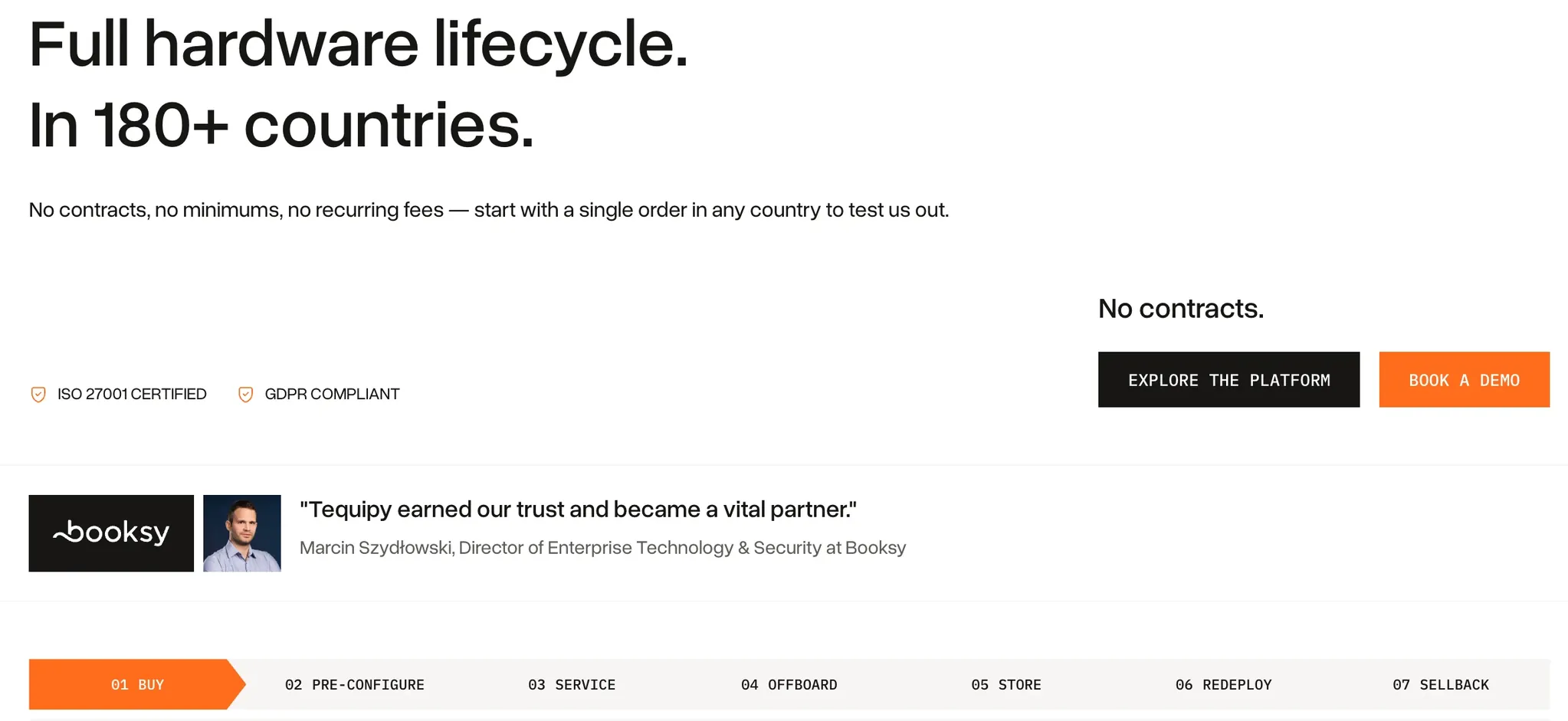
Tequipy delivers laptops in 3 business days on average, across 180+ countries, through 600+ local hardware partners. Tequipy's co-founder spent the years before it as Head of IT at Revolut, while headcount rose from 100 people in 2 offices to 5,000 in 17. Keeping count of laptops through that growth is where Tequipy began.
Tequipy keeps a register and also delivers and collects the laptops in it. The register is simple, a page per laptop that the next section walks through, and the service is bigger: Tequipy buys, delivers, collects, wipes, stores and resells the devices listed in it. Snipe-IT and the other dedicated tools in this list keep deeper records. A reader leaving a tool they maintain themselves should know which jobs Tequipy does for them: typing in laptop moves and booking couriers.
Key Features
Device Records Kept Current by Tequipy's Team and Carrier Tracking
Courier scans change the status when a laptop is delivered or picked up. Tequipy staff enter the serial number when they buy a device, and they log storage, redeployment and sell-back. Each laptop's page is split into four tabs:
- Details: serial number and status first, then type, holder, specification, estimated value and protection plan (AppleCare+, for example).
- History: each assignment, past and present, with its date, and any note an admin leaves.
- Files: the invoice, warranty documents, manuals and a thumbnail image.
- Repairs: repair requests, both open and closed.
Devices and people can carry tags. When a laptop leaves service it is archived, never deleted, and its history, repairs and files remain.
Laptops you bought before Tequipy can be added three ways: typed in one at a time, sent as a spreadsheet of up to 500 rows for Tequipy to load, or created through the REST API. Bulk upload inside the app is coming soon.
Orders, Views, Roles and Exports in One Account
Admins work from four lists, each searchable and filterable by status. Laptops with staff fill the first list. The others cover devices kept in your own storage, stock sitting in Tequipy's warehouse, which you can view with a count but not edit, and the archive.
Ordering starts with a country: the page shows prices and a delivery estimate, and the order can be tracked to the door. Admins build equipment groups, pre-approved sets such as a sales laptop and an engineering laptop. Staff shop from that group in the employee portal; prices stay hidden from them, and nothing ships until an admin approves.
Offboardings alone pass through 13 statuses, and other services have their own. The platform emails admins about orders, offboardings and requests, invites new employees, and warns when the HR connection breaks. Exports cover assigned devices as CSV (specs not included), orders with serial numbers, and requests. The dashboard lists actions needed, open orders, payments and the credit line.
Three roles exist (company admin, finance admin, employee), with no cap on admin seats. Sign-in can be forced through Google Workspace, Microsoft Entra ID or Okta, and one account can hold more than one invoicing entity.
Buying, Shipping and Collecting Laptops in 180+ Countries
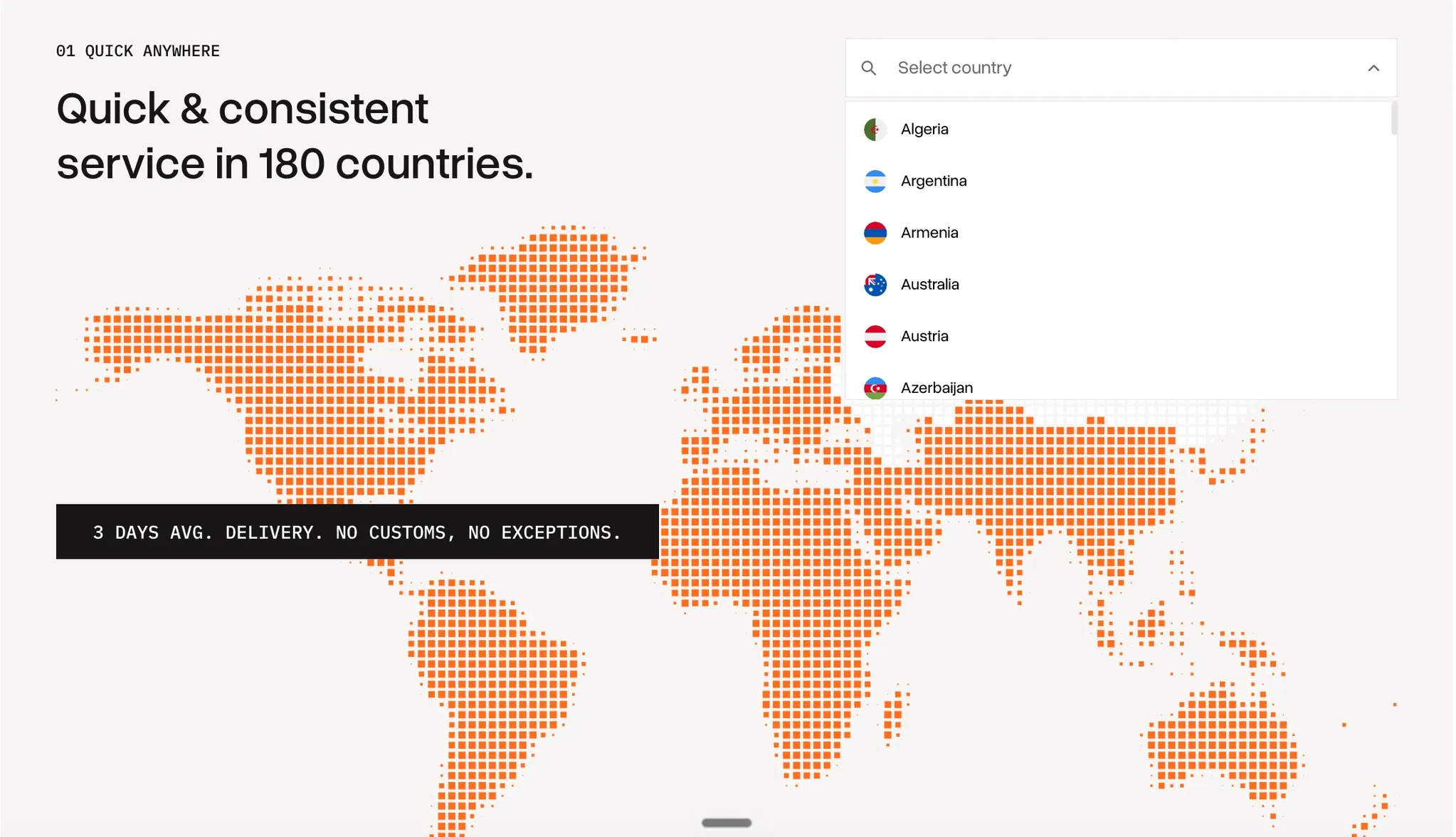
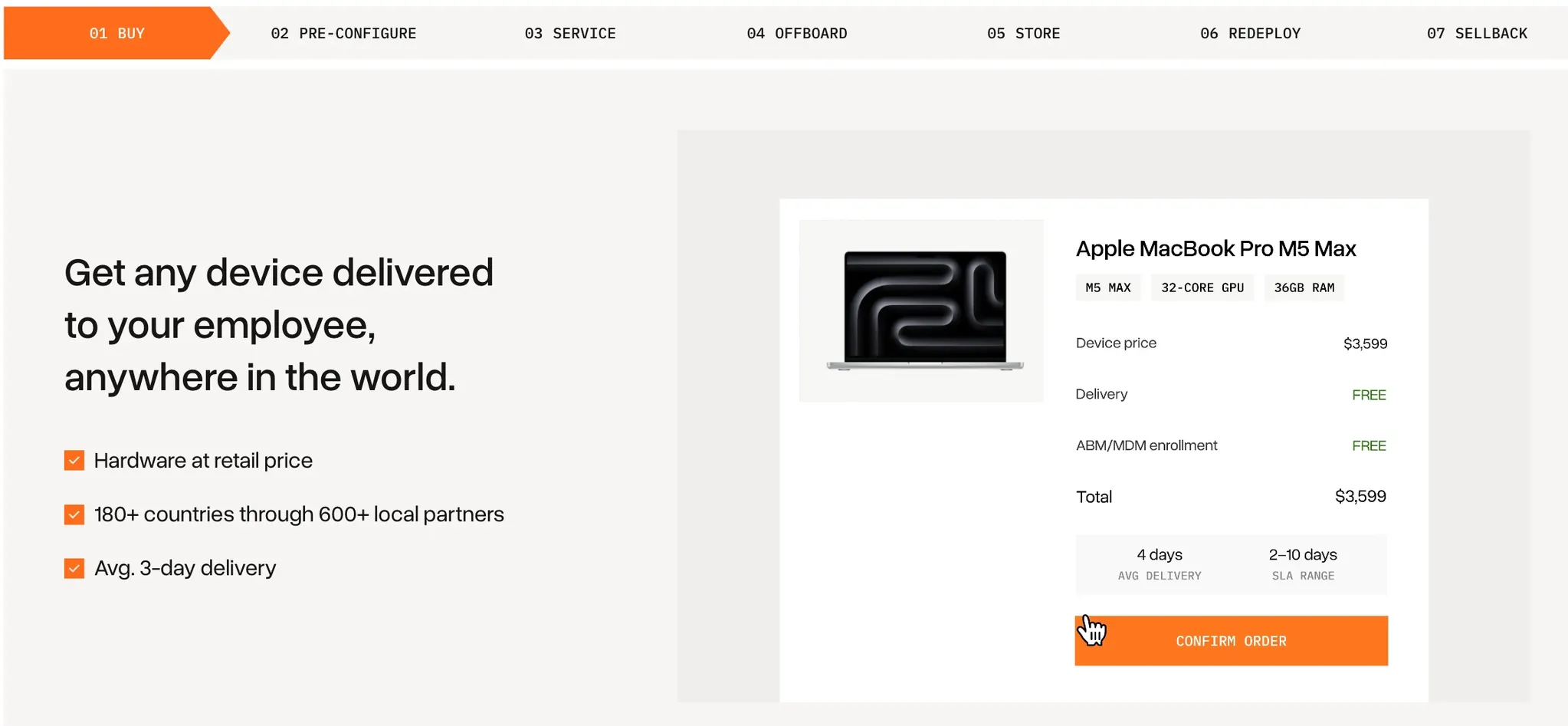
This is the part no register covers on its own. A register can say that a designer in Mexico holds a laptop; on her last day, Tequipy books the courier, collects the device through its laptop retrieval service, wipes it and sends it to storage, to a new hire or to sell-back. New laptops come at recommended retail price or lower, delivery included, with MDM enrollment before dispatch. You can buy laptops in each country from one account.
Works Alongside the Tools You Already Use
Tequipy fits in one of three ways. Alone, it covers both halves: a record of who holds each laptop, with history and files, and a service in which local hardware partners buy and ship the devices, couriers collect them, and Tequipy's team stores them.
Next to the asset tool you keep, Snipe-IT or any other tool in this list, the split is by job: that tool keeps discovery, licences, labels and audit reports, and Tequipy delivers, collects and stores the laptops. Your team builds the connection: a scheduled job reads devices, orders, collections and redeployments from Tequipy's REST API, since Tequipy sends no webhooks (automatic update messages to other tools), then writes them through the other tool's API or a CSV import.
Only one tool gets a ready-made feed today: BlueTally, in one direction, for devices added after setup. Because every laptop is enrolled into your MDM before it ships, an MDM sync such as Snipe-IT's still picks it up.
Way three is for a team whose asset tool's advanced features, such as discovery agents, a CMDB or licence metering, go unused. In that case Tequipy's register, set out above, can carry the laptop record on its own, after Tequipy loads your existing records from a CSV. Billing stays at a flat $99 a month for any number of devices once you pass 100, with no charge under that line, whereas per-asset billing goes up every time a laptop is added.
On the people side, an optional $199 a month add-on pulls employees from HiBob, BambooHR, Workday or Rippling, so each new hire appears without typing, and a leaver in Rippling can open an offboarding.
Pricing
| Item | Price |
|---|---|
| Platform | $99 a month flat for 100 devices or more (unlimited devices), free under 100 devices |
| Hardware | Recommended retail price or lower, delivery included |
| Offboarding | $70 to $150 per device |
| Storage | $12 a month per device (laptops and screens) |
| Redeployment | $70 to $150 per device |
| HR integration | $199 a month, optional |
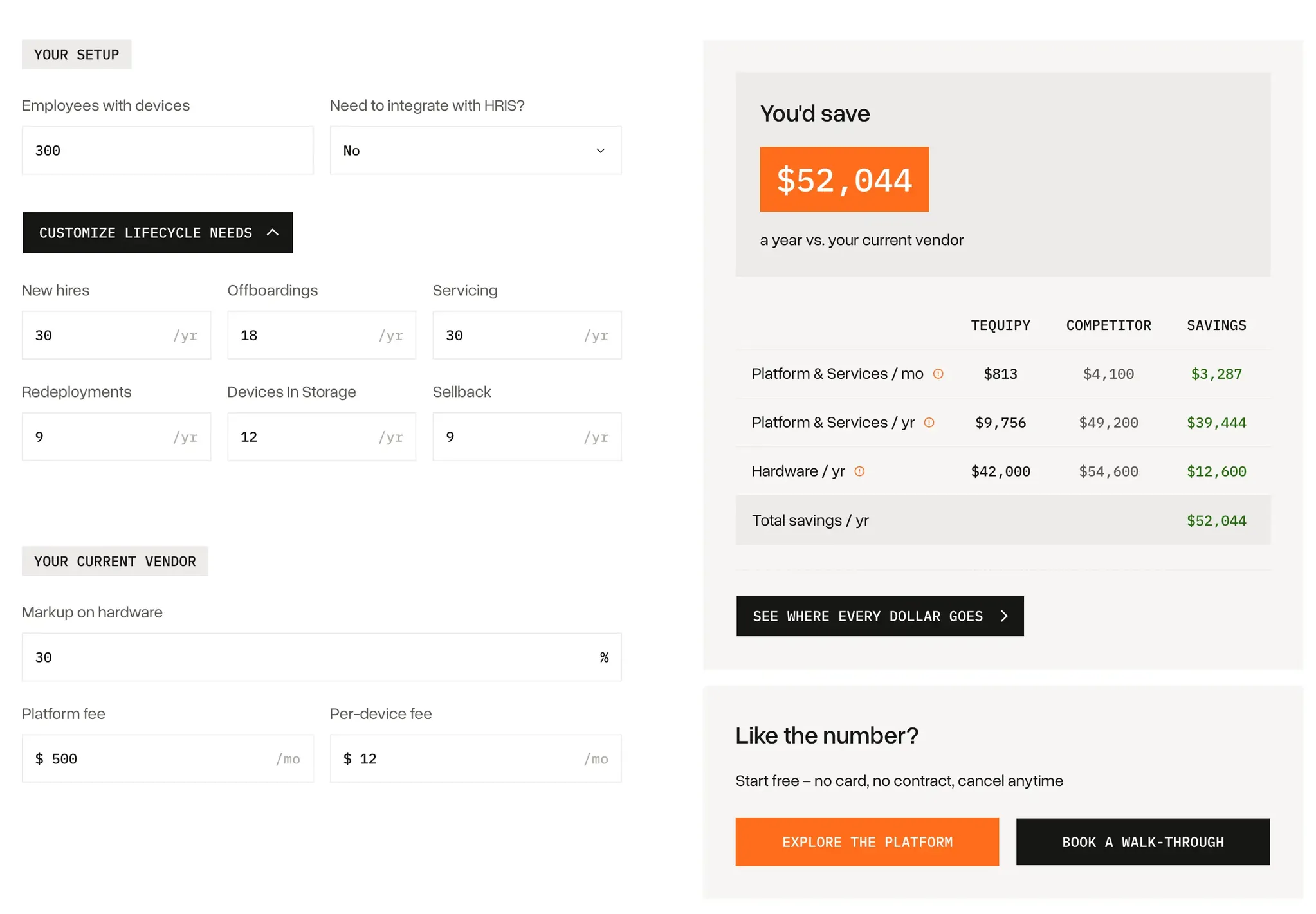
For 150 people, Lansweeper Starter costs $3,588 a year, Reftab $1,500, InvGate Starter $1,499 and Snipe-IT's Basic Hosting $399.99, all before services. GLPI's cloud charges €228 a year per IT agent, excl. VAT. The Tequipy pricing calculator puts Tequipy at $5,532 for the same team: $1,188 for the platform and $4,344 for services. Those services, checked in November 2026, cover offboardings, servicing, redeployments and storage. None of the others sells services, so your team does those jobs.
US computer user support specialists earn a median of about $30 an hour (US Bureau of Labor Statistics, May 2025). At that rate, the gap with Snipe-IT's Basic Hosting closes at about 14 hours of those jobs a month. Gigs, a 100-person Tequipy customer, saves 100+ hours a month on IT management, worth about $35,700 a year at that rate. Your team also pays the couriers. Add $199 a month for the optional HR integration. Put your team size, hires and leavers into the calculator and compare the result.
Where Tequipy Shines
- Physical work in 180+ countries: one account buys, delivers, collects, wipes, stores and resells laptops.
- A register nobody on your team hosts: no server to run, and for devices Tequipy handles, couriers and Tequipy staff keep each laptop's page current.
- A platform fee that stays flat: $99 a month from 100 devices upward (unlimited devices), free under 100, with no per-seat charge.
Where Tequipy Falls Short
- Fewer fields than Snipe-IT: the register keeps each laptop's holder, history, files and repairs. It has no custom fields (tags only), no labels, no mobile app and no check-out of loaner devices.
- No discovery or software tracking: no network discovery, no licence tracking and no CMDB.
- No finance or report views: the app tracks no depreciation and no warranty expiry, and it has no asset reports by country, status or age.
Customer Reviews
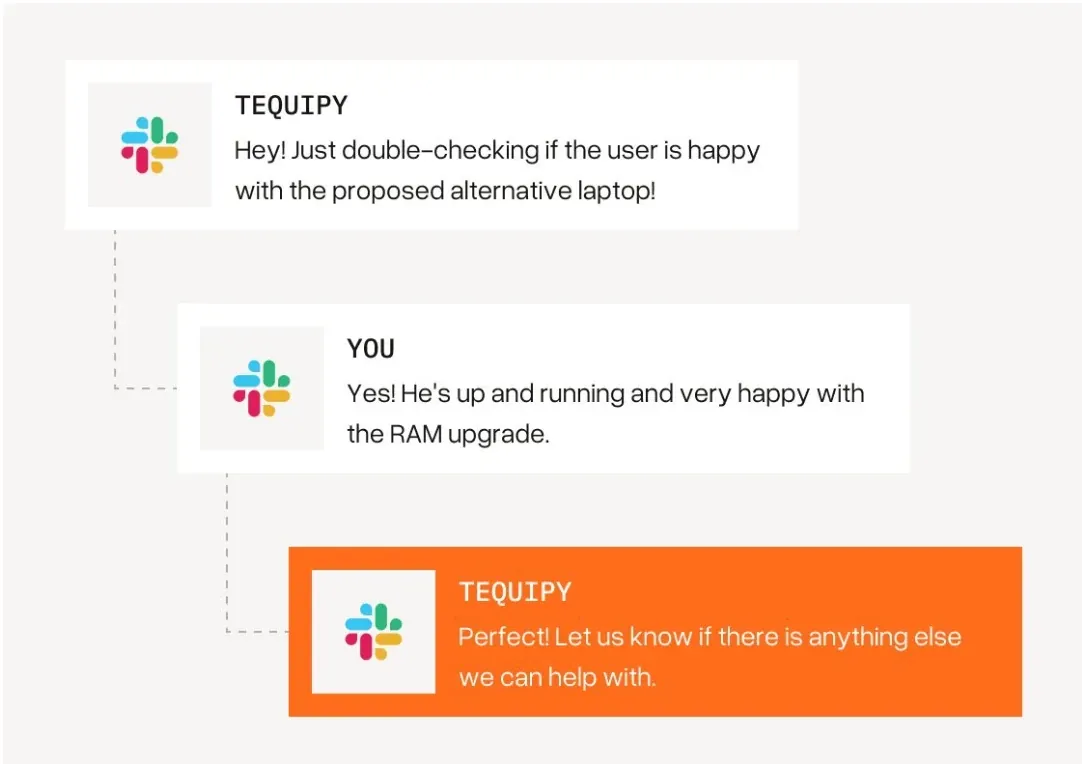
Booksy started with one region. Marcin Szydłowski, who runs enterprise technology and security there, described how it began: "We initially tested them in Latin America, a region where we faced logistical challenges. They managed it perfectly, which gave us the confidence to start using their services for other geographies as well." (Booksy case study)
Lera Lykholiet, People Operations Specialist at RemoFirst, on the platform: "Laptop setup and management just works in a few clicks. It's seamless, and it's exactly what we need while hiring globally." (RemoFirst case study)
Who Tequipy Is Best For
- Companies hiring in several countries at once: each new hire's laptop is sourced in their own country by a local hardware partner at recommended retail price, delivery included, so nobody waits on customs.
- Teams with no one whose job is IT logistics: couriers and Tequipy's team update the record, so the register stays current without a dedicated admin.
- Teams with laptops already bought elsewhere: collection, storage and redeployment work on any device, with no contract and no minimum.
- Not for: IT teams that like running their own register and rarely move a device. Tequipy has no custom fields, labels or check-out.
Pro tip: count the hours before you compare tools. Someone still updates any HAM tool and still packs and posts the laptops. Log those hours for one month, then multiply them by what the people doing the work earn an hour.
{{cta-primary}}
3. Reftab: Best for Check-In and Check-Out Without Self-Hosting

Reftab costs nothing for up to 50 assets, and its Hardware Asset Management plan is $125 a month with unlimited users, as of November 2026. It is the hosted swap for a team tired of running its own Snipe-IT server: no install, no upgrades, and most of the same features for recording who has which device, ready to use.
Key Features
Check-In, Check-Out and Reservations
Assets check out to people or places, with reservation calendars, loan limits and overdue email alerts. This is free on every plan, and it suits shared kit such as loaner laptops, cameras or test devices.
Labels, Barcodes and QR Scanning
Reftab designs custom QR labels and prints to Avery and Zebra formats. Its iOS and Android apps scan tags, and an offline mode arrived in October 2026.
Integrations With MDM, HR and Helpdesk Tools
On the paid plan, Reftab connects to Intune, Jamf, Mosyle, NinjaOne and others, to HR systems including BambooHR, HiBob and Workday, and to Jira Cloud and Zendesk. When the HR system marks someone as leaving, Reftab can raise an offboarding ticket and set that person's loans as due. Snipe-IT has no HR connector at all.
Pricing
| Item | Price |
|---|---|
| Free | Up to 50 assets, unlimited users |
| Hardware Asset Management | $125 a month, unlimited users; asset count and billing term not published |
| Complete ITAM | Custom quote |
| Software Asset Management | $9 per tracked software user a year |
| Free trial | 14 days |
Last checked: Reftab's pricing page, 2 November 2026. Integrations need the paid plan.
Where Reftab Shines
- Nothing to host: Reftab runs the servers, backups and upgrades.
- Built for shared equipment: reservations, kits and loan limits come free. An equipment room manager wrote on Capterra in April 2026: "Keeping track of who has what is easy".
- Strong support record: Customer Service scores 4.8 on Capterra.
Where Reftab Falls Short
- Returns go to another company: device collection runs through Hello Retriever, a separate return service with its own account.
- Integrations sit behind the paid plan: the free tier has no MDM, HR or helpdesk connector.
- Reports and the portal take work: about 4 reviews mention friction when building reports, and about 4 say the self-service portal is weak on phones.
Customer Reviews
Reftab holds 4.7 from 139 reviews on Capterra, its main review base, as of November 2026. Most complaints are small and practical. A senior technician in education gave it 4 stars on Capterra in March 2026 and wrote: "The user portal doesn't work well at all on mobile devices, and making reservations for multiple assets isn't very streamlined".
Best For
- Teams that lend out shared equipment: reservations and loan limits are built in.
- Teams that want a hosted register that connects to HR and MDM tools: the $125 plan connects both without scripts.
- Not for: teams that want the same vendor to collect devices, or software discovery beyond what Intune reports.
4. Lansweeper: Best for Automated Network Discovery

Lansweeper's Starter plan costs from $299 a month and Pro from $528 a month, both billed annually and each including 2,000 assets, as of November 2026. It runs as an installation on your own server, which scans the network and builds an inventory of what it finds, so on-network devices never need typing in. Starter licenses one installation. The lack of automation is the most common complaint about Snipe-IT, about 10 reviews and comments on G2, Capterra and Reddit.
Key Features
Automated Network and Asset Discovery
Agentless scans, a passive sensor and an optional IT Agent find computers, servers, network gear and OT devices. Laptops that never connect to the office network show up only once the IT Agent is installed on them.
Software, OT and Vulnerability Reports
Every plan lists installed software. Pro adds vulnerability and lifecycle insights, and licence compliance (SAM) is sold separately as an add-on for Pro and Enterprise.
Integrations and Data Export
A report builder exports to Excel, CSV and PDF. Lansweeper connects to Intune, Jamf (on Pro) and helpdesks such as ServiceNow, Freshservice and TOPdesk.
Pricing
| Item | Price |
|---|---|
| Free | First 100 assets, 6 user seats |
| Starter | From $299 a month, billed annually, includes 2,000 assets, 1 installation |
| Pro | From $528 a month, billed annually, includes 2,000 assets, expandable to 9,000 |
| Enterprise | Custom quote, from 10,000 assets |
| Free trial | 14 days, no credit card |
Last checked: Lansweeper's pricing page, 17 November 2026. A reseller reported new-subscription increases of 25% on Starter and 20% on Pro from 5 October 2026.
Where Lansweeper Shines
- Finds what nobody remembered buying: an IT manager wrote on Capterra: "I love the ease of scanning our entire network".
- Audit depth: detailed reports on software, switch ports and end-of-life hardware.
- Scale: Lansweeper runs in over 30,000 environments, by its own count.
Where Lansweeper Falls Short
- Remote laptops need the agent: network scans miss devices that stay off the office network.
- Price rises: more than 30 complaints on Reddit, Capterra, TrustRadius and G2 report repeated increases, and the starting price includes 2,000 assets whether you have 300 or 1,900.
- Features split by plan: vulnerability insights and licence compliance cost more than Starter.
Customer Reviews
Lansweeper holds 4.4 from 70 reviews on G2 as of November 2026. Price is the top complaint, with more than 30 complaints on Reddit, Capterra, TrustRadius and G2. An IT sysadmin in retail gave it 4 stars on Capterra in October 2025 and noted that "many features like vulnerability scanning are further paywalled into an even higher tier package".
Best For
- IT teams with most devices on a known network: discovery replaces manual entry for desktops, servers and network gear.
- Security and compliance work: software inventory and vulnerability reports support audits.
- Not for: small fleets that would pay for 2,000 assets, or teams whose laptops rarely touch the office network.
5. InvGate Asset Management: Best for Discovery and a CMDB at a Published Price

Of the discovery tools here, InvGate is the one with a price on the page: on Starter, $1,499 a year, fixed, covers up to 500 IP devices, as of November 2026. That makes it one of the few discovery tools a buyer can price without a sales call. Its review base is small, 4.7 from 11 on G2, and 9 of those reviewers are in Latin America.
Key Features
Network Discovery and CMDB
Agentless scans cover IP ranges over 11+ protocols, and agents report from Windows, macOS, Linux and Android devices whether or not they are on the network. Automatic CMDB mapping, with AI-suggested dependencies, comes with the Pro plan.
Licence Metering and Contracts
Installed software shows up on all three plans; licence contract management and software metering need Pro.
Dashboards and Reports
Pre-built reports can be emailed on a schedule, and views export to a file. Custom dashboards are a Pro feature.
Pricing
| Item | Price |
|---|---|
| Starter | $1,499 a year, fixed, up to 500 IP devices |
| Pro | $5 per IP device a year, from $2,500 a year, 500 to 5,000 IP devices |
| Enterprise | Custom quote, from $12,000 a year |
| Billing | Annual |
Last checked: InvGate's pricing page, 2 November 2026. InvGate calls these list prices and says the final price depends on your needs.
Where InvGate Asset Management Shines
- Discovery without a quote: the Starter price is on the page.
- Quick to roll out: devices come in manually, by network discovery or by agents, and a G2 reviewer in January 2024 named "Ease and speed of implementation and management" as the best part.
- Labels and a scanning app: QR codes in bulk and an app that scans them, with RFID audits announced in October 2026.
Where InvGate Asset Management Falls Short
- The CMDB costs more: automatic CMDB mapping, the API and single sign-on are not in Starter.
- More than a register-only team needs: a team that only tracks who holds which laptop pays for discovery it may not use.
- Thin review base: 11 G2 reviews; 8 of the 9 we checked were invited or incentivized.
Customer Reviews
InvGate holds 4.4 from 14 reviews on Capterra under its former name, InvGate Insight. Two Capterra reviewers in 2023 asked for custom dashboards, which now exist on Pro but not on Starter. Connections drew a sharper note: an account executive gave it 4 stars on Capterra in August 2023 and wrote: "The integration with third-party tools is very complicated, unlike its competitors."
Best For
- Mid-size IT teams that want discovery and a CMDB: with a price they can see before a call.
- Not for: teams that only need to know who holds which laptop.
6. AssetTiger: Best for Cheap Hosted Labels and Scanning

For up to 500 assets, AssetTiger's Basic plan is $220 a year, or $20 paid monthly, as of November 2026. Its free plan ended on 1 August 2026; new users now get a 30-day trial for up to 250 assets, after which the account turns view-only. Public reviews are thin, so treat the points below as patterns, not proof.
Key Features
Labels and barcodes, iOS and Android apps with offline scanning, and check-in and check-out are the core. AssetTiger is built by SmartSign, the company behind the MyAssetTag label shop, and a REST API now comes with every paid plan.
Pricing
| Item | Price |
|---|---|
| Basic | $20 a month or $220 a year, up to 500 assets |
| Free trial | 30 days, up to 250 assets, then view-only |
Last checked: AssetTiger's pricing page, 2 November 2026.
Where AssetTiger Shines
- Low price for a hosted tool: $220 a year covers 500 assets.
- Simple scanning: one Capterra reviewer in January 2025 wrote: "The check-in-out feature works very well."
Where AssetTiger Falls Short
- No HR or MDM connector: Jamf or Intune data comes in by CSV or the API only.
- Fields can disappoint: a Capterra reviewer in July 2024 wrote: "I tried custom fields, but they would not work or show up".
Reviews
AssetTiger holds 4.6 from 272 reviews on Capterra as of November 2026, and many of them were invited with a small incentive.
Best For
- Small teams that want labels and scanning hosted for them: at a price close to free.
- Not for: teams that need HR or MDM connections out of the box.
7. Asset Panda: Best for Tracking Non-IT Assets

Asset Panda publishes no prices; its pricing page is a quote form, as of November 2026. The vendor's blog puts Starter at $3,000 a year and Business+ at $7,500 a year, and describes the pricing as user-based. It tracks any asset type, from laptops to tools, vehicles and equipment. Tequipy's register holds only computers and accessories, so for the wider job Asset Panda covers ground Tequipy does not.
Key Features
One configurable database for any asset type, with custom fields, a label designer, mobile barcode scanning, audits and depreciation. Recent additions include a help desk module (September 2026), a Workday connector and Dell and Lenovo warranty lookups.
Pricing
| Item | Price |
|---|---|
| Starter | From $3,000 a year (vendor blog), quote only |
| Business+ | From $7,500 a year (vendor blog), quote only |
| Free trial | 7 days |
Last checked: Asset Panda's quote page and blog, 2 November 2026.
Where Asset Panda Shines
- Any asset, one system: IT kit, vehicles and tools share one record.
- Fields shaped per team: one Capterra reviewer put it in six words: "Highly customizable for different teams."
Where Asset Panda Falls Short
- Price is a quote: you cannot compare it without a sales call.
- The app can confuse: a G2 reviewer in September 2026 wrote: "The app user interface is hard to navigate."
Reviews
Asset Panda holds 4.6 from 1,369 reviews on Capterra and 4.2 from 43 on G2, as of November 2026.
Best For
- Organisations that track more than IT: facilities, field equipment and fleets alongside laptops.
- Not for: teams that want a published price before the first call.
Reasons to Consider a Snipe-IT Alternative
Each reason below is a job Snipe-IT does not do. One or two of them may apply to you, not all four.
Self-Hosting Becomes a Job
Snipe-IT is free to download, and the server around it is not. Setup, backups, security patches and upgrades land on your team. Between August and October 2026 alone, Snipe-IT moved from version 8.7.0 to 8.8.3, and a self-hoster installs every one of those upgrades. The author of a February 2025 r/sysadmin thread, who wanted to avoid Snipe-IT, described it as "just too much effort and maintenance for something which I feel should be very straightforward to do".
Records Go Stale When Every Change Is Typed In
A register is only as current as its last update. When a laptop moves between people, someone has to record it. Missed updates are the most common complaint about Snipe-IT, about 10 reviews and comments on G2, Capterra and Reddit. MDM sync now fills in device data, but it cannot see who holds a laptop that is switched off.
One buyer told Tequipy's team: "We have laptops sitting with ex-employees in three countries." The tools that discover devices, such as GLPI, Lansweeper and InvGate, reduce the typing for devices on the network, and most hardware asset management software now offers some form of it.
Little Support and No HR or Helpdesk Connector
Self-hosted users get community support unless they buy a plan, and Snipe-IT has no built-in HR or helpdesk connector. Its new MDM adapters, in beta since September 2026, cover device data only. A user on r/sysadmin wanted custom fields on licences and wrote that the Snipe-IT team "seem to be really anti adding requested features".
Nobody Does the Physical Work
Snipe-IT shows who has a laptop. It does not buy one in Brazil or collect one from a leaver in Poland. In 2022, Capterra surveyed 287 HR workers, and 71% had seen at least one departing employee keep company equipment. Almost no register sends anyone to fetch a device; Tequipy does, in 180+ countries, and the steps to get equipment back from employees start the same way in any of them.
Pro tip: an agent or MDM can tell you where a remote laptop last checked in. Before you switch, ask each vendor who collects the laptop when an employee in another country leaves, and how the record changes afterwards. The answer shows whether the vendor only records laptops or also collects them, and it belongs on your IT onboarding and offboarding checklist.
If two or more of these reasons sound familiar, compare the tools above against that list before you renew anything.
{{cta-primary}}
CONCLUSION
Keep a Register You Don't Have to Host, and Let Tequipy Ship and Collect the Laptops
Want to stay open source? Move to GLPI and keep running the server. Want a hosted register? Reftab costs nothing to 50 assets. Want devices found on your network? Lansweeper scans it from an installation you run. Want discovery and a CMDB with a listed price? Look at InvGate.
If your laptops sit with staff in several countries and someone has to ship and collect them, Tequipy works next to whichever register you keep, or as its own simple register, with one page per laptop. Read more on device lifecycle management software, check the Tequipy pricing page, or contact the Tequipy team to start with one order in your hardest country.
FAQ
Is GLPI better than Snipe-IT?
Sometimes. GLPI goes deeper, with its own agent, network discovery, a CMDB and a helpdesk. Snipe-IT is simpler, with labels, check-out and a mobile app in beta. Both are free to self-host and need someone to run them.
Does Snipe-IT have a hosted (cloud) version?
Yes. Grokability, the company behind Snipe-IT, runs it on AWS for $39.99 a month or $399.99 a year. The price is flat, covers any number of assets and users, and includes backups and upgrades.
Can Tequipy replace Snipe-IT?
Not as a like-for-like register. Tequipy keeps a simpler record: a page per laptop, with tags but no custom fields or labels. It also buys, delivers, collects and wipes each device for you. Snipe-IT can stay as the record, with Tequipy's device data pulled into it through the REST API by a link the team builds itself.
Which Snipe-IT alternative finds devices automatically?
GLPI, Lansweeper and InvGate all discover devices on the network. GLPI and InvGate also use agents that report from remote laptops; Lansweeper needs its IT Agent for devices off the network.
Is there a free alternative to Snipe-IT?
Yes. GLPI is free to self-host under GPL-3.0. Reftab is free for up to 50 assets, and Lansweeper's free plan covers the first 100 assets.

Keep your current setup.
Just test us on one order.
AUTHOR
Before Tequipy, Tomek ran IT at Revolut, scaling from 100 employees in 2 offices to 5,000 across 17. He built the system that kept every laptop accounted for, then founded Tequipy – a platform that handles IT equipment logistics for distributed teams across 180+ countries.
As CEO, he runs operations and covers the founder layer: strategy, product, and the company-building that comes with both.
15 minutes. Your countries, your devices, your setup. No pitch.